Lineage 2 LU4 farm dashboard for Adrenaline

Your whole farm.
One screen.

Game windows from all your PCs on one live map in the browser. Routes, buffs, healing, trading and alerts — all from the same screen, on desktop or mobile.

Already have a key? Enter code

your-dashboard.l2hud.com
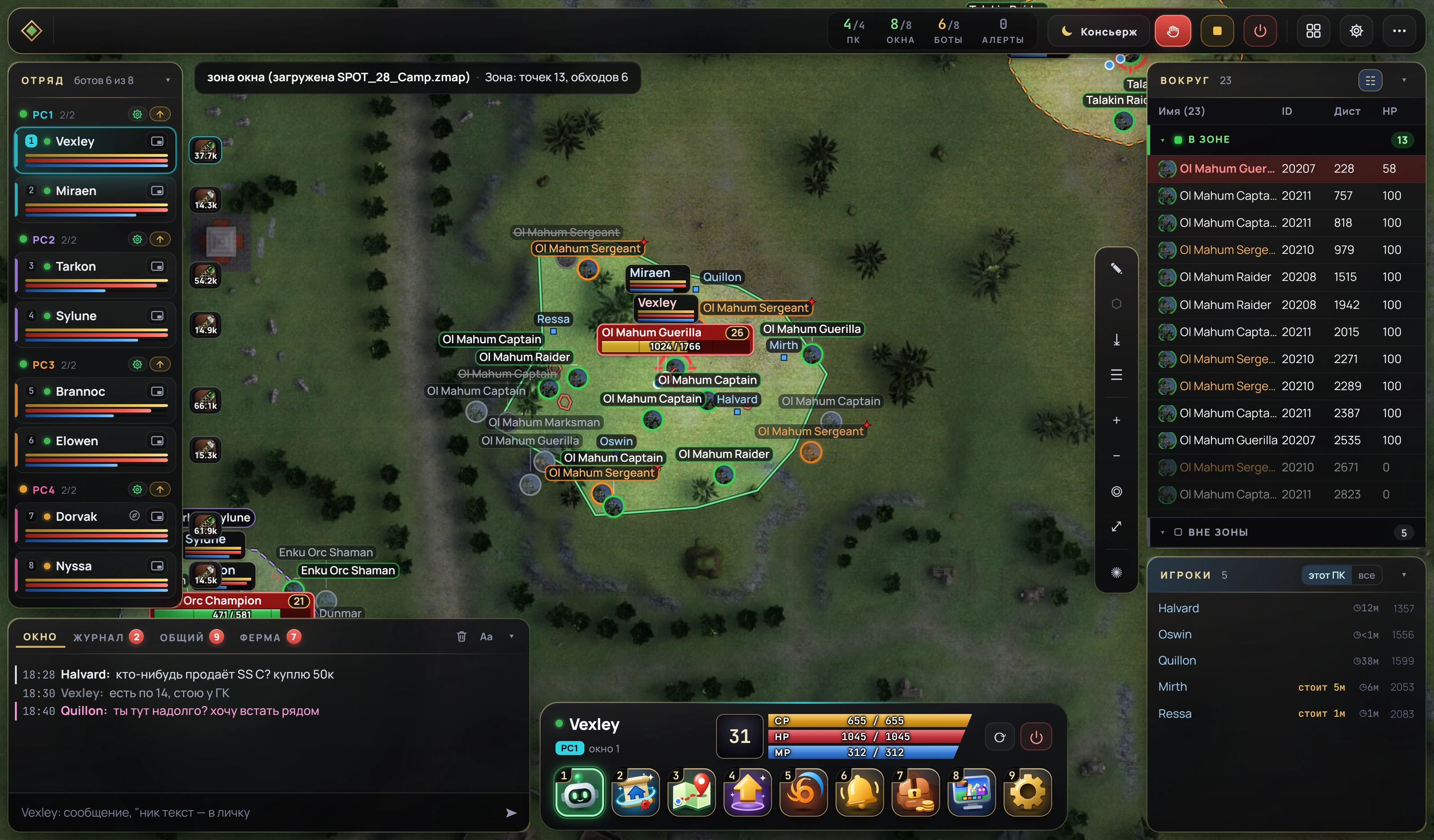
l2hud main screen: a squad of eight windows, the zone map with mobs and the target, the Nearby list, players around, chat and the window panel
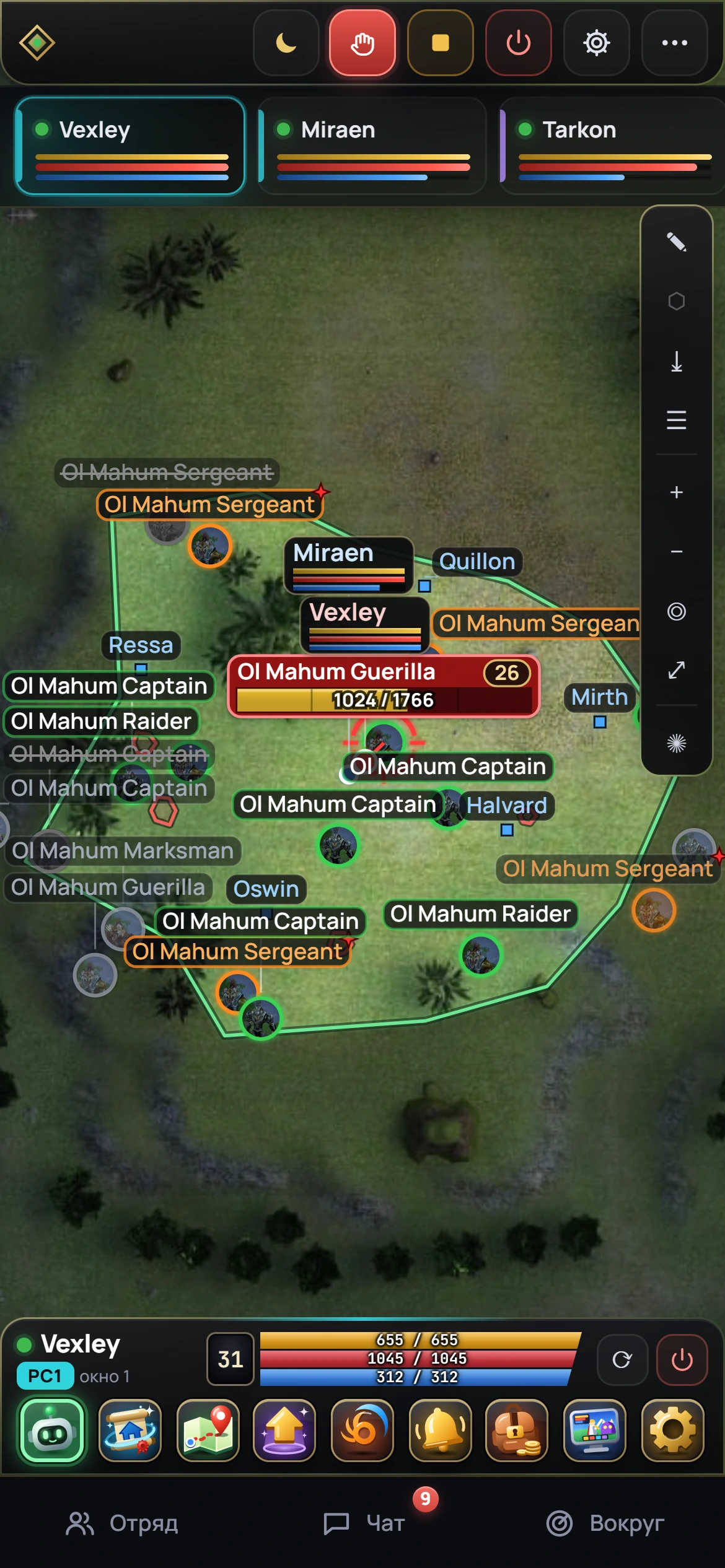
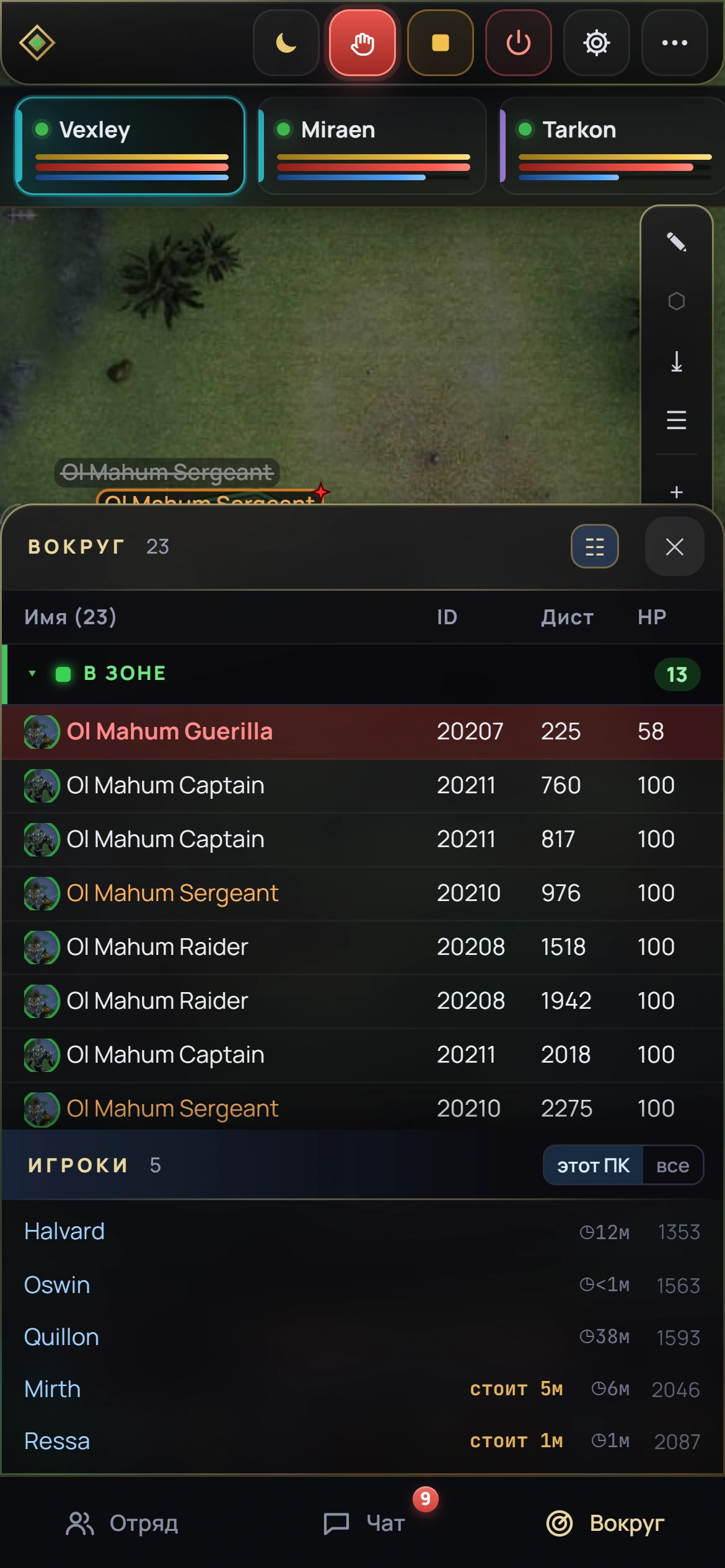
The dashboard on a phone: the zone map, the selected window and its buttons
1 filesetup with a wizard
0 portsno port forwarding needed
1 show often the map refreshes
2 windowsper key

Map

Who is where — at a glance.

Zones of all PCs on one map, each labeled with its PC and character names. You see at once whose zone is where.
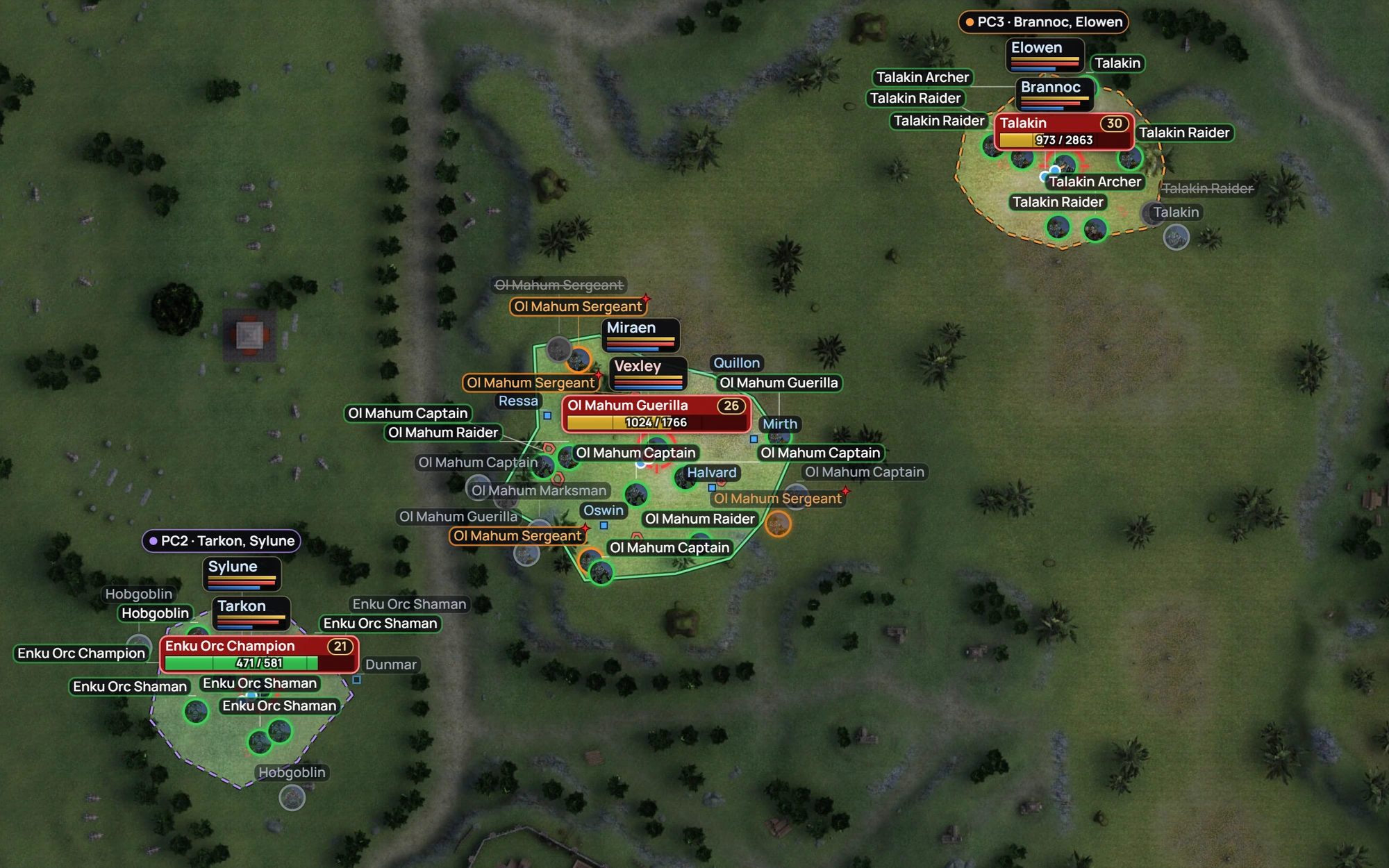
Farm map: three zones of three PCs, each with its own outline color and a PC label with character names
01mobs

Aggressive mobs stand out

Mobs that attack on their own get an orange ring and a red star on the map and an orange row in the Nearby list. The target shows its level and HP bar.
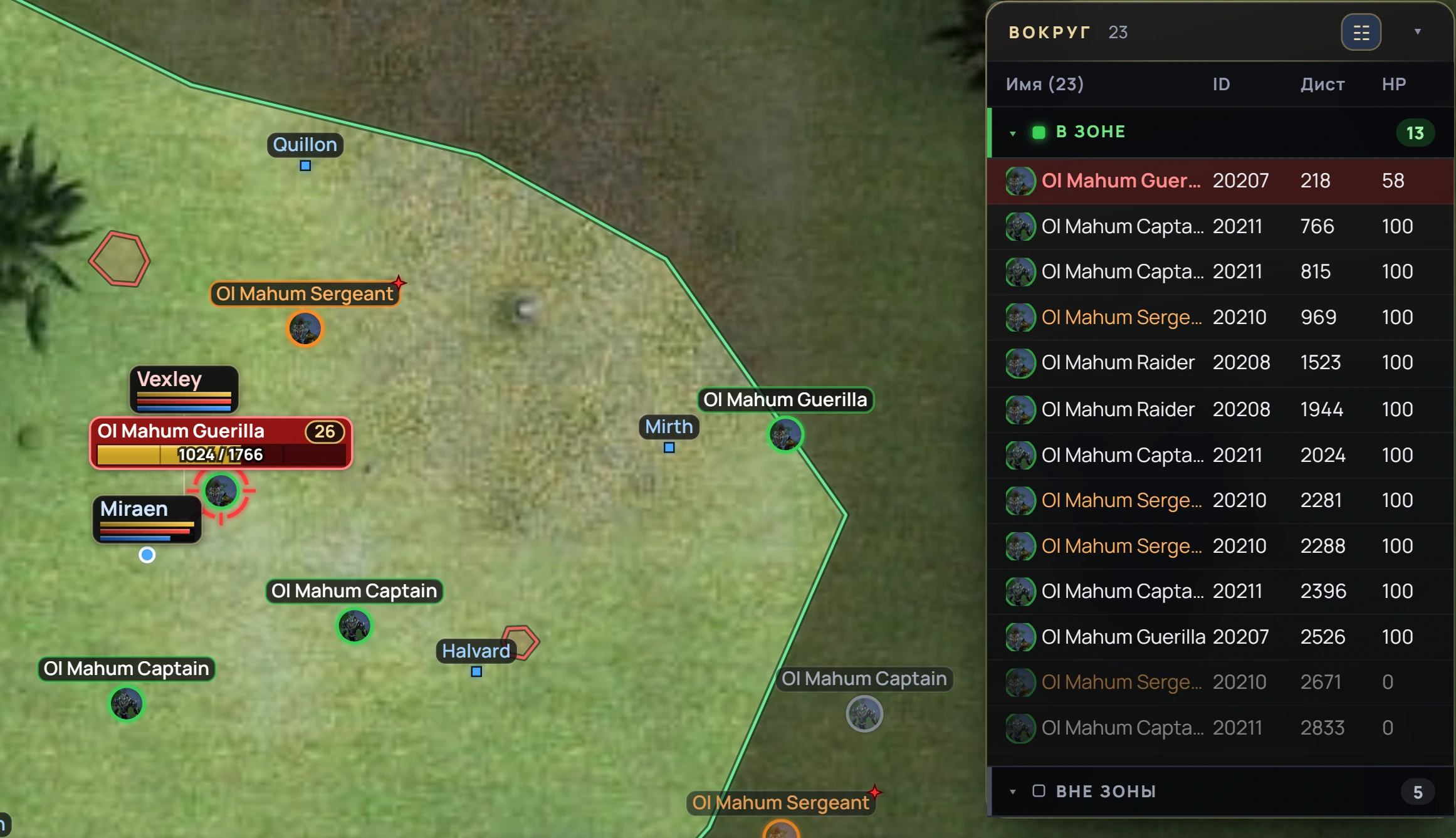
Aggressive mobs: an orange ring and a star on the map, orange rows in the Nearby list; the target with its level and HP bar
02players

Who’s near your characters

Other players nearby: how far they are, how long they’ve been in sight and how long they’ve stood still. For one PC or for all at once.
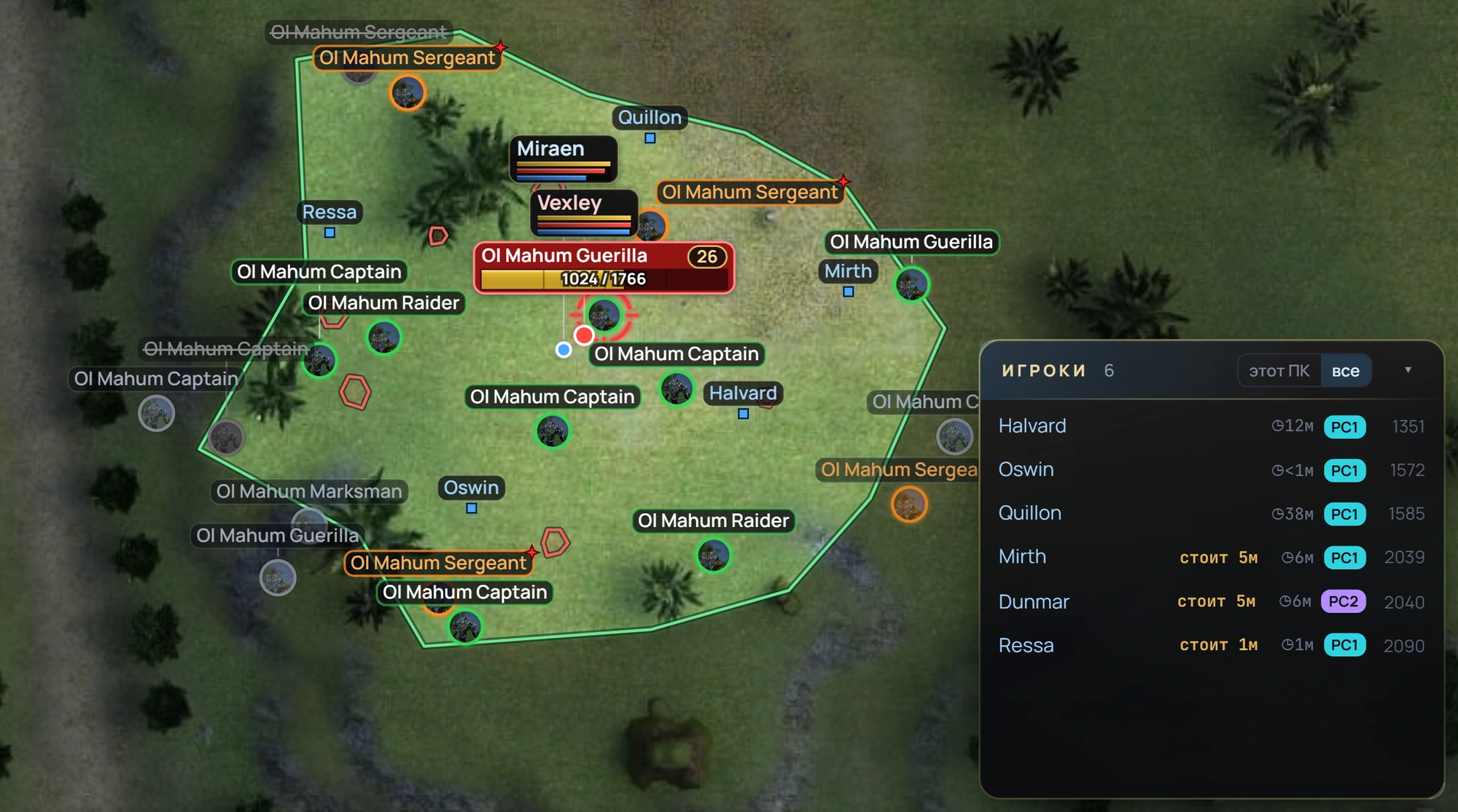
Players nearby: time in sight, time standing still, which PC sees them and the distance
03zones

Draw a zone with the mouse — it gets checked

The dashboard marks a mistake in the outline with a red cross before you save — Adrenaline simply wouldn’t load such a zone.
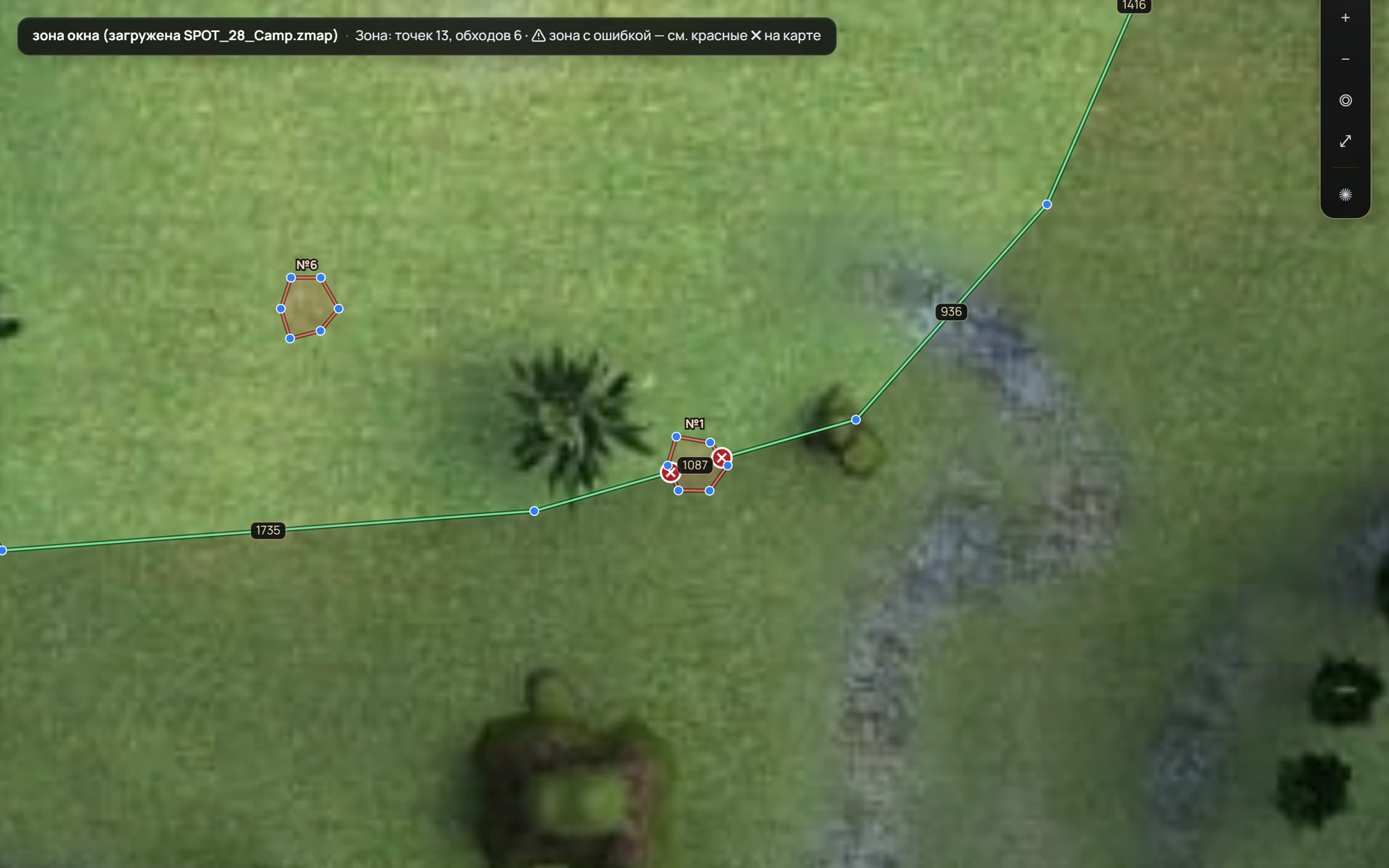
Zone editor: the patrol path crosses the border, red crosses mark the crossings

Screens

Window screens — no remote desktop.

A live picture of every game window right in the dashboard: see what’s going on without connecting to the PC.
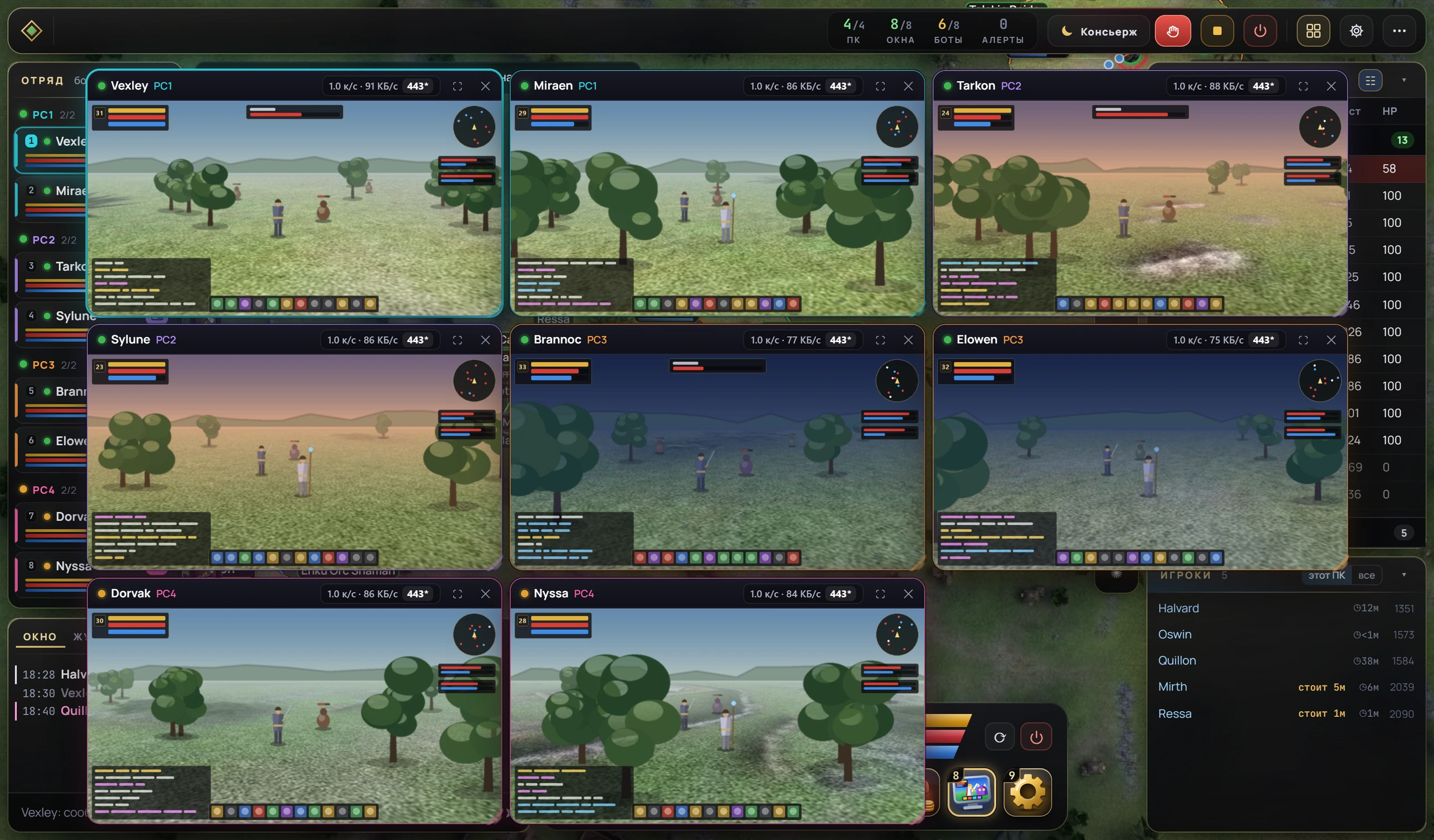
Screens of all eight windows tiled over the dashboard

Game frames in the illustration are placeholders.

  • Tiledall windows at once
  • PC labelon every frame
  • Frame rate and trafficshown on every frame

Chat and log

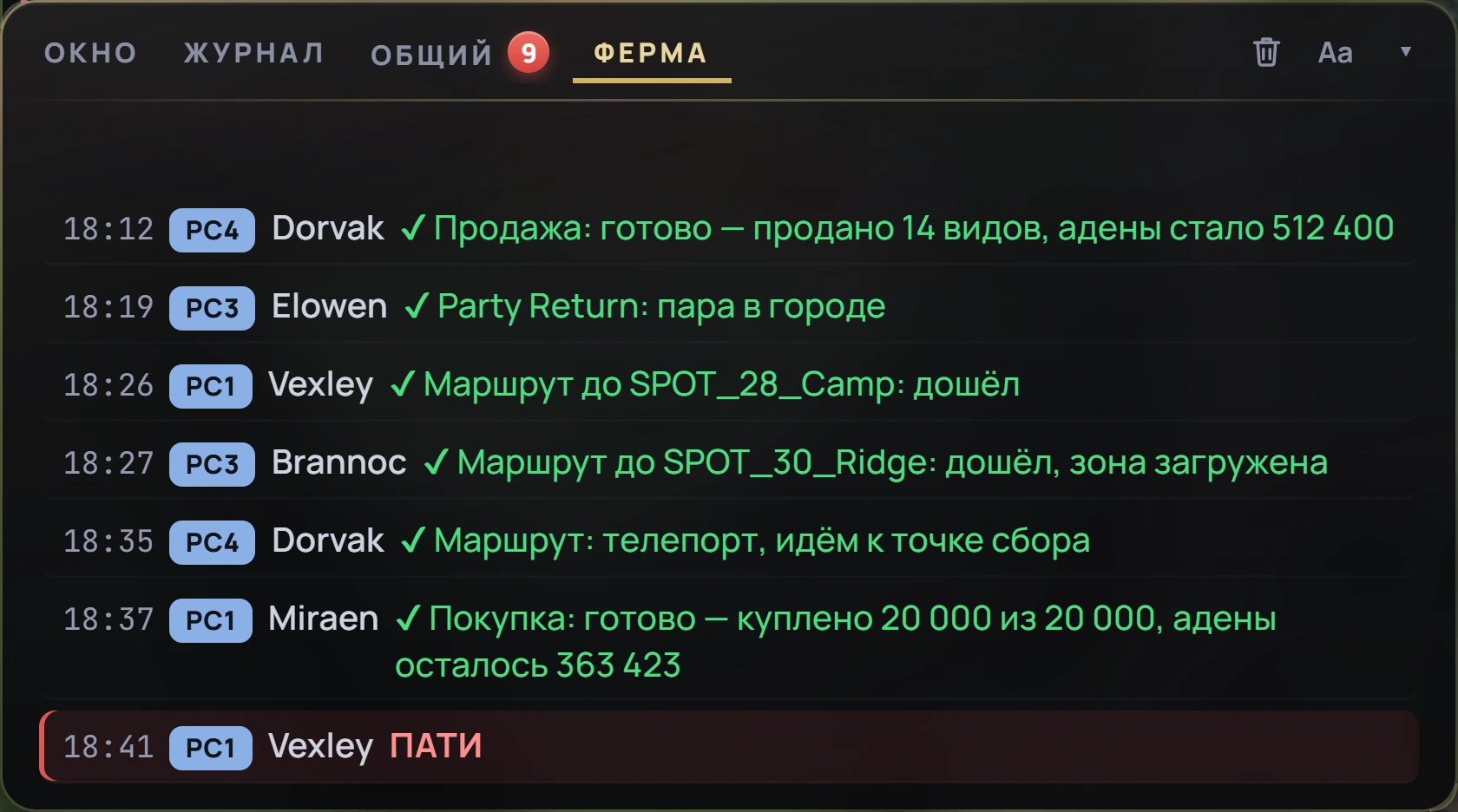
Farm chat — in one feed.

Messages from all windows in one feed, PMs in pink.
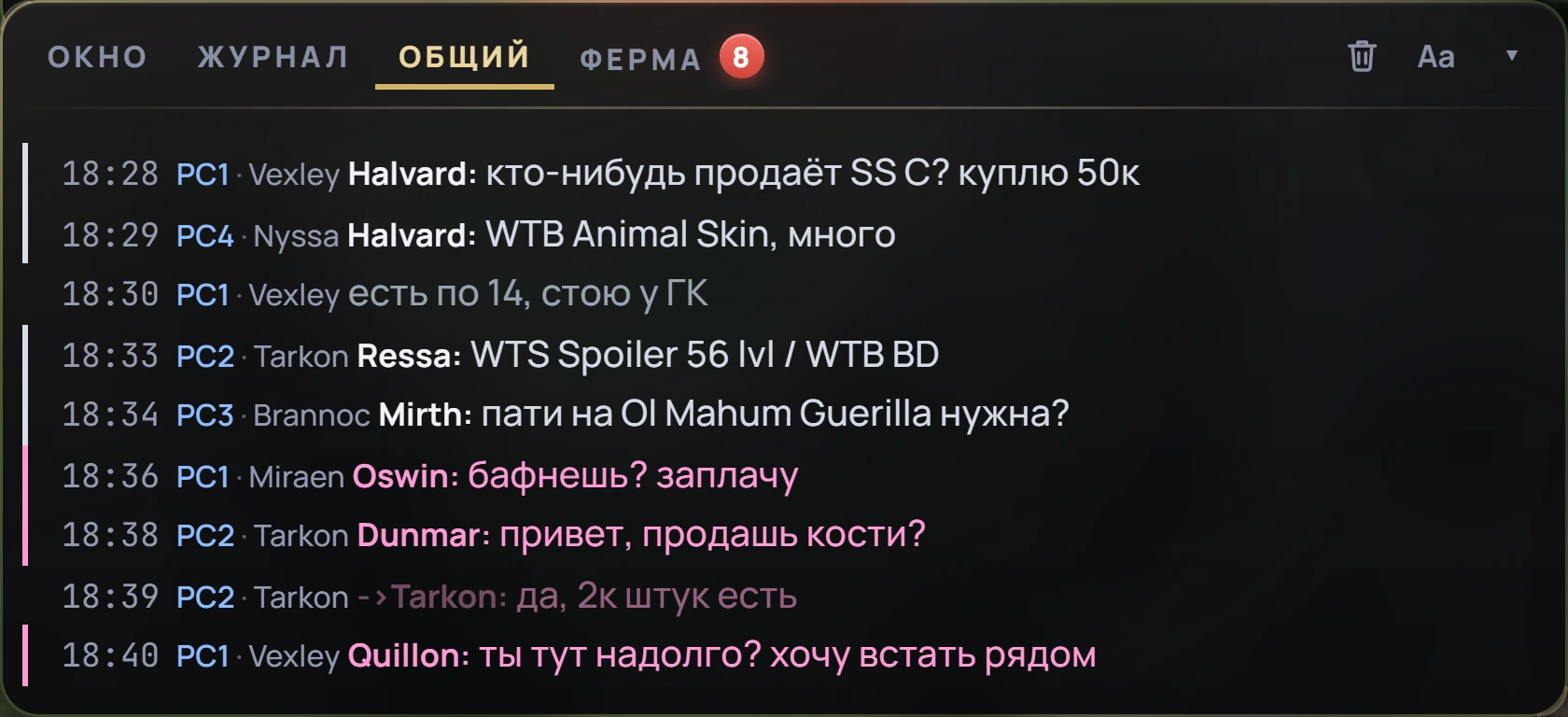
Farm chat: each line shows its PC and window, PMs in pink
General chat: each line shows the PC and the window that heard it.
Farm log: sold, arrived, bought, alert — across all PCs
The Farm tab is a log of all PCs with only what matters: arrived, sold, bought, mail sent.
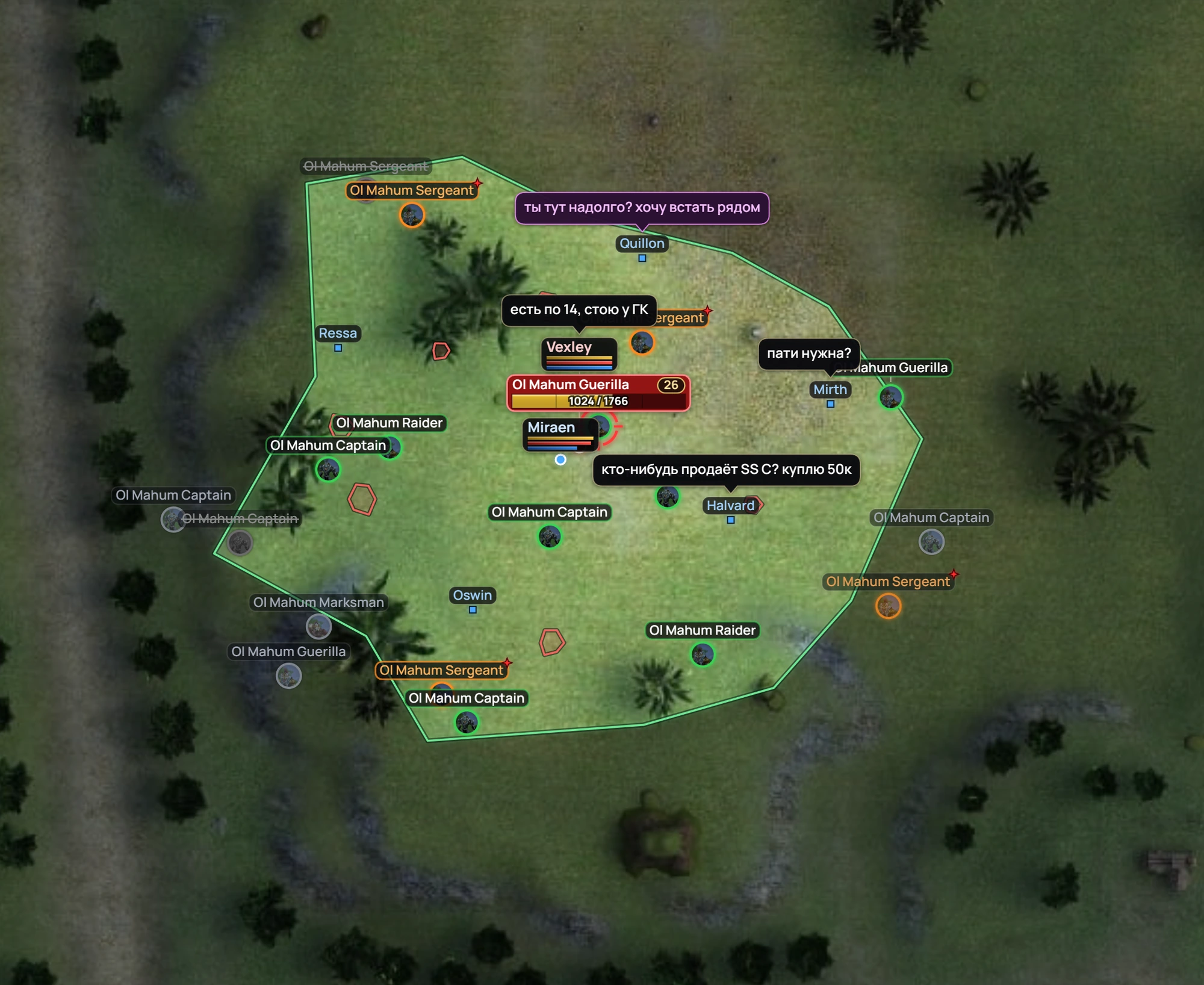
Chat lines as speech bubbles above players on the map
Who said what — in a bubble above them on the map.

Routes

To the spot — with one button.

Pick a spot and the dashboard shows the whole path on the map: start, teleport, regroup and rebuff, farm. Then send a pair or a single character.
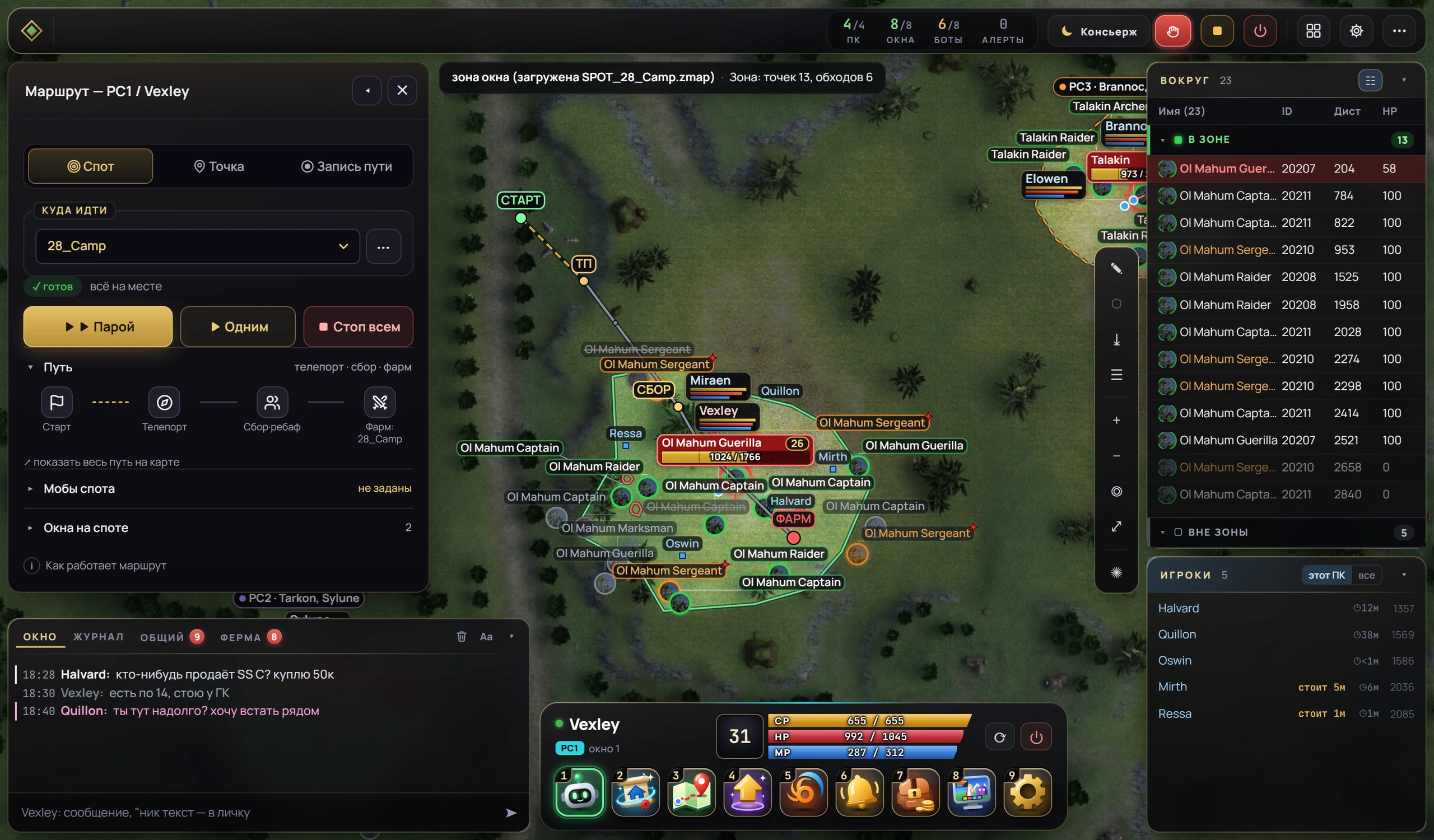
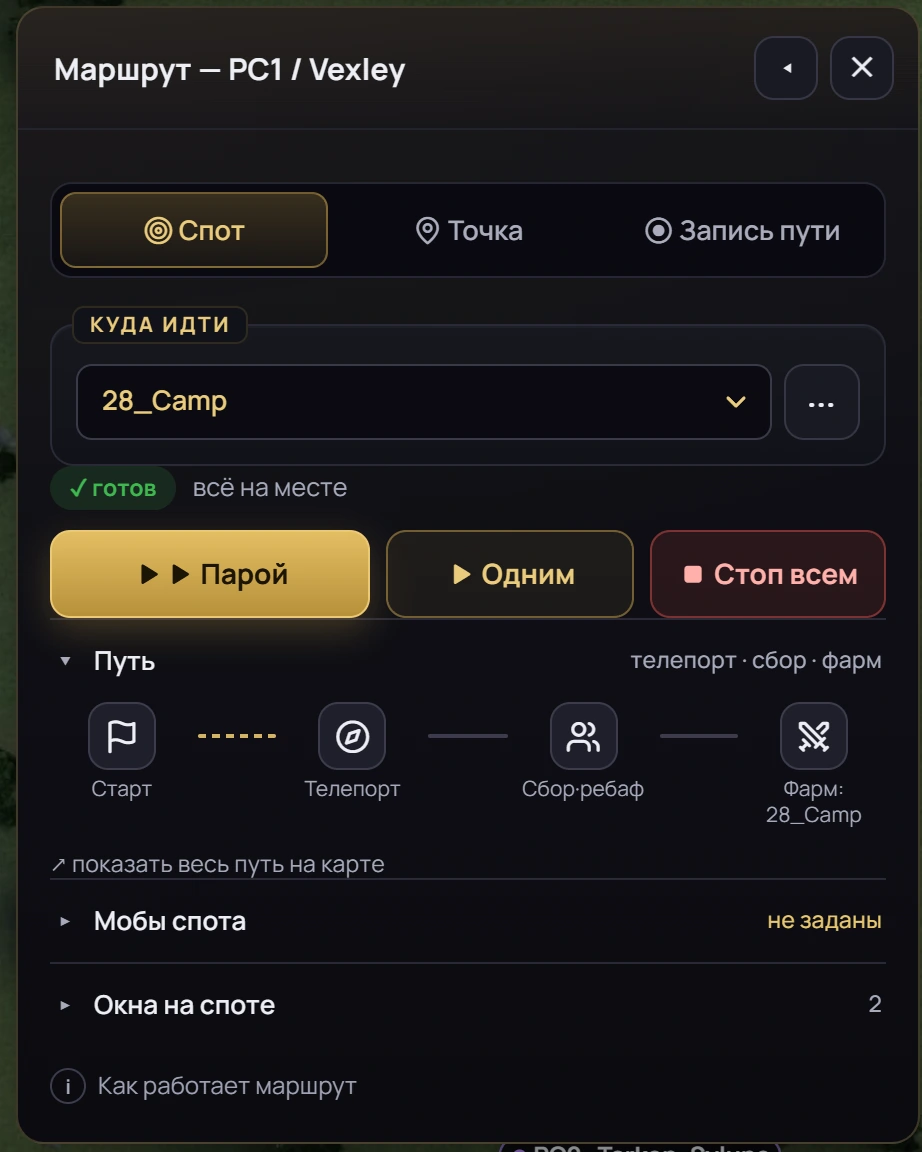
Route window: the spot, the Pair, Solo and Stop all buttons, and the path Start — Teleport — Regroup and rebuff — Farm on the map
Route window: the spot, “ready — all set”, the Pair, Solo and Stop all buttons and the path
  • Check before leaving“ready — all set”
  • Stop allwith one button
  • Path recordingyour own spot — in the same window

Your own spots — on the PCs that need them.

Tick a box in the table and the dashboard delivers the spot to those PCs in about 30 seconds.
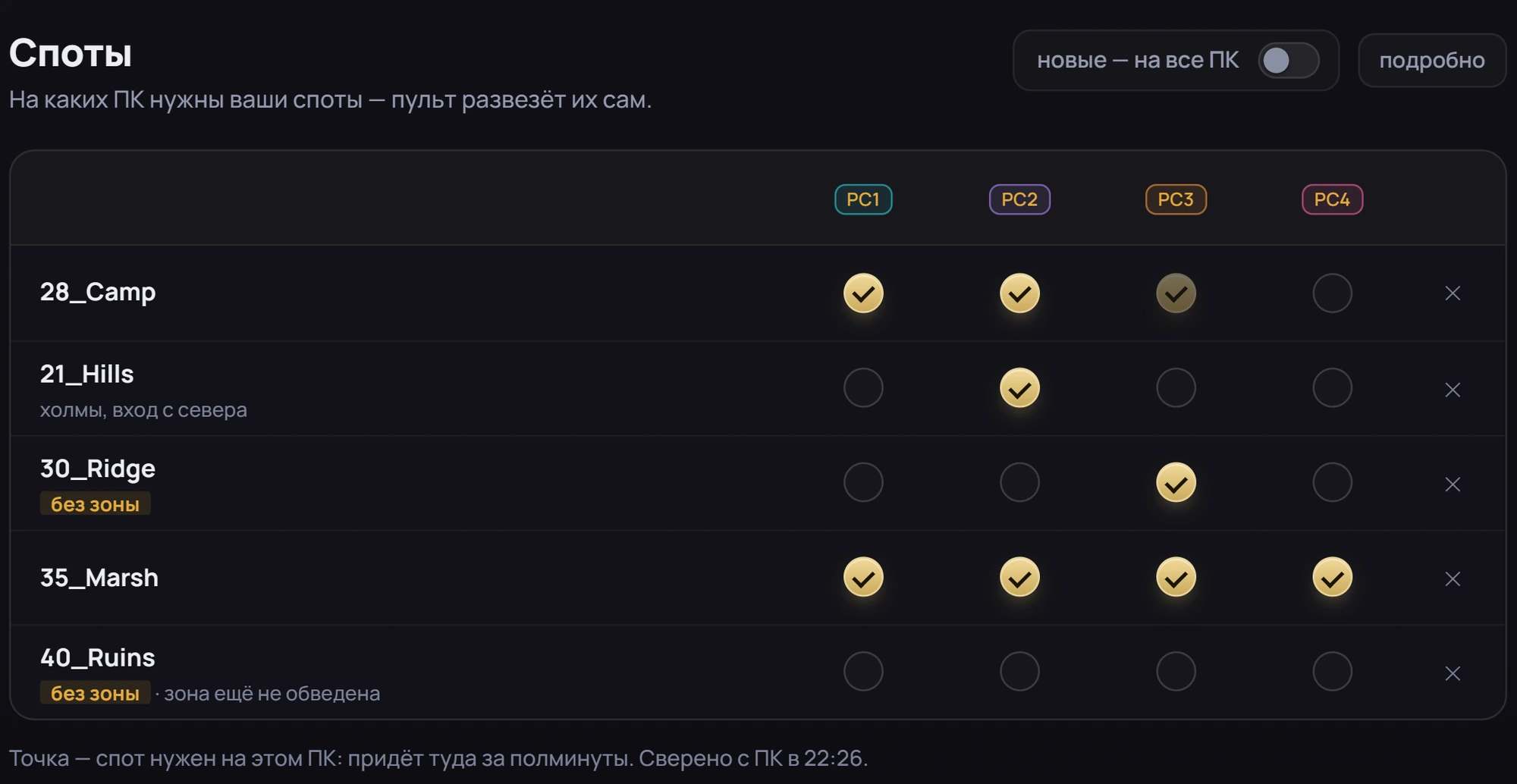
Spots settings: a table of spots and PCs, a tick means the spot is needed on that PC
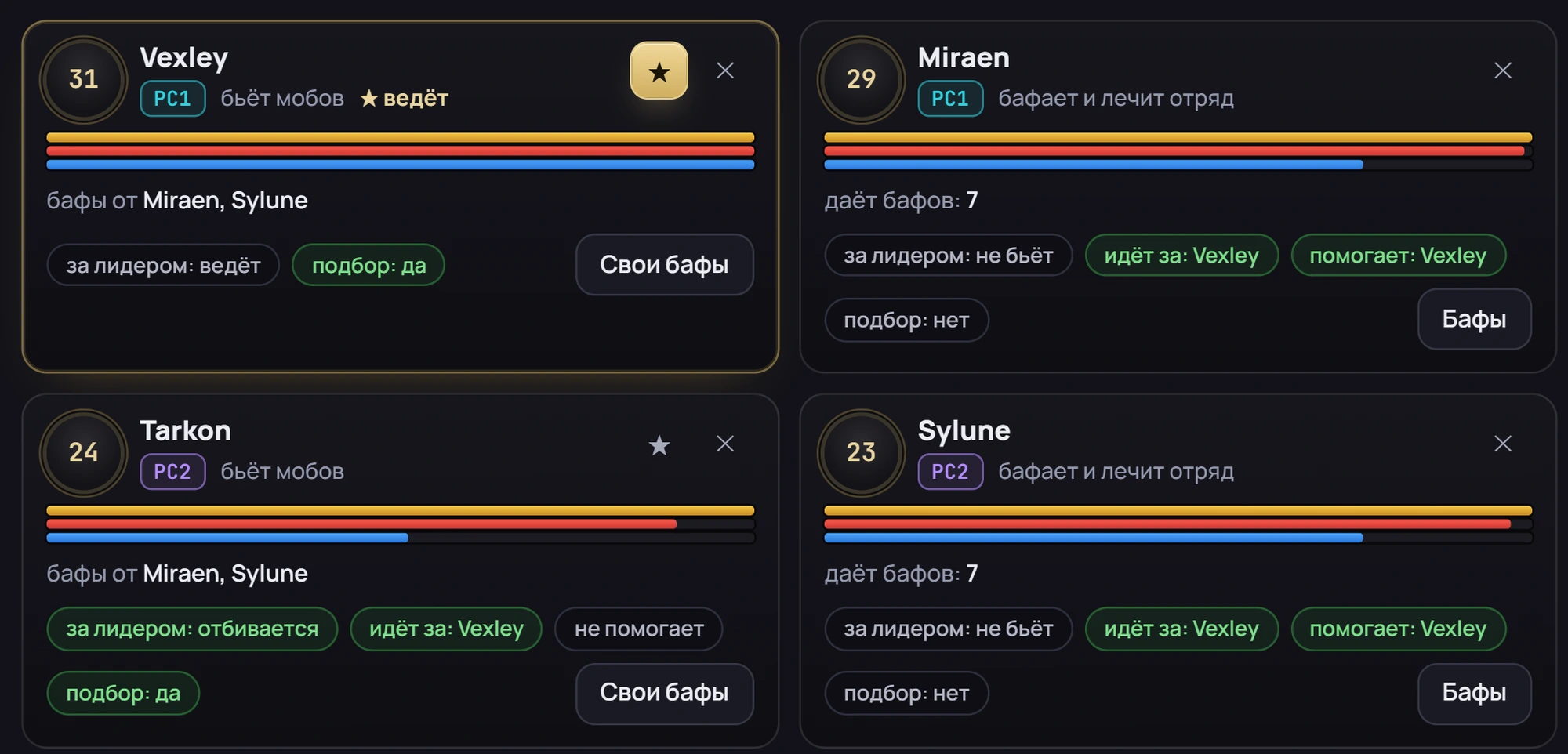
A party of four windows from two PCs: who leads, who buffs, who follows whom
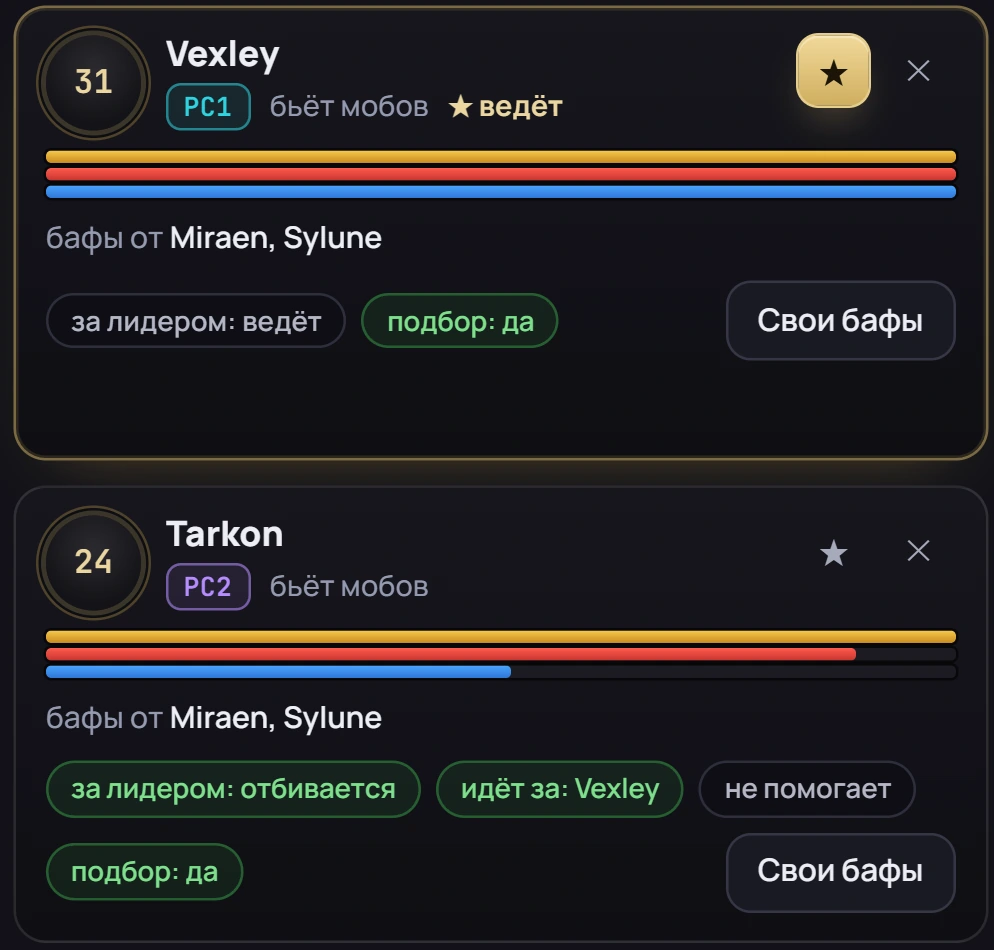
Two windows from different PCs in one party: the leader and a fighter following them

Parties and buffs

One party — across PCs.

  • Who leads. The leader has a star, the others follow and assist.
  • Who buffs. A fighter on one PC is buffed by a buffer on another — each one shows where its buffs come from.
  • Follow the leader. Who fights back and who stays passive — set per window.
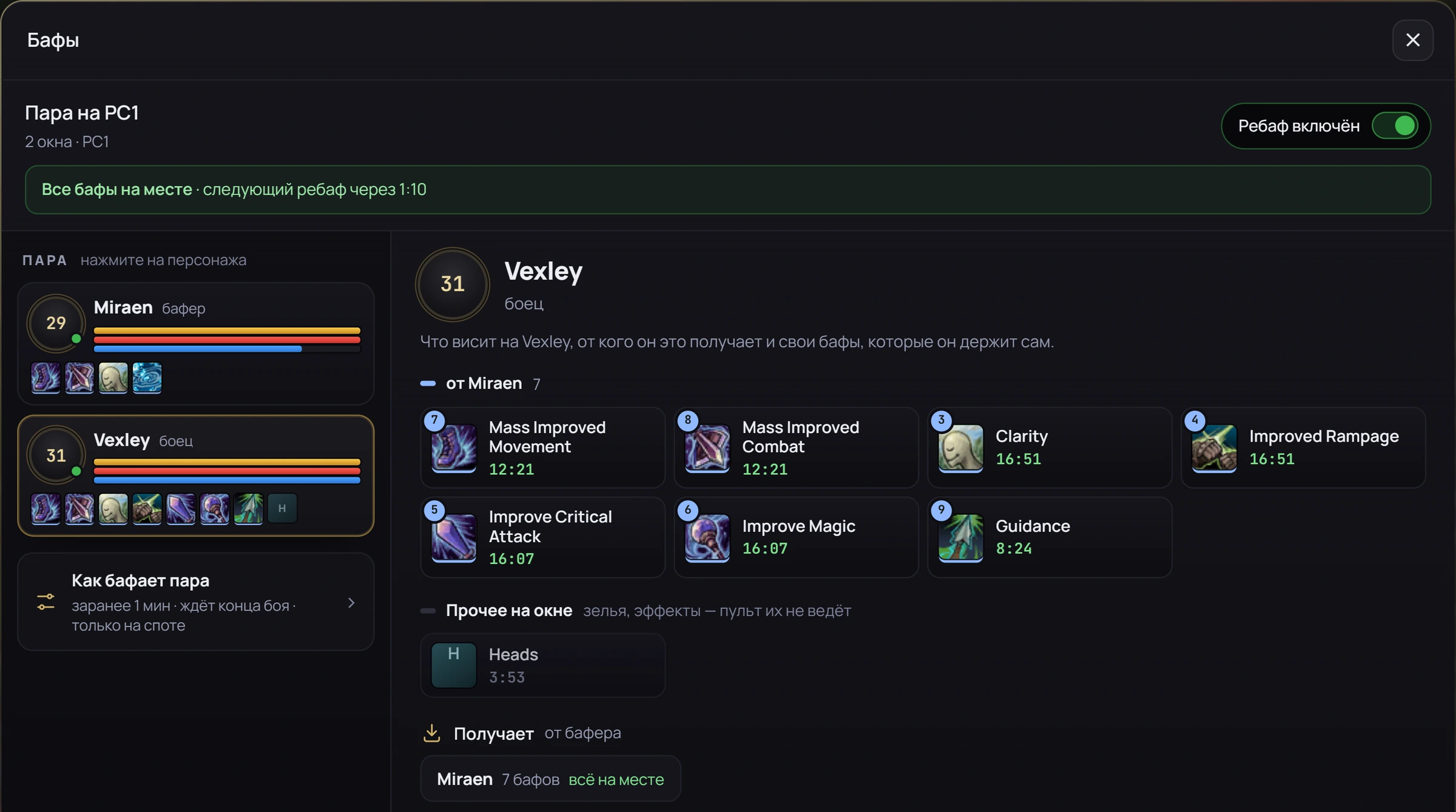
Buffs window: what is on the fighter, from whom and how long is left, when the next rebuff is
What’s on the fighter, from whom and how long is left. Rebuffs happen ahead of time, after a fight, and only at the spot.

Healing

Guardian — healing that thinks.

The party healer heals on its own: who to save first, who to top up, who to give mana.
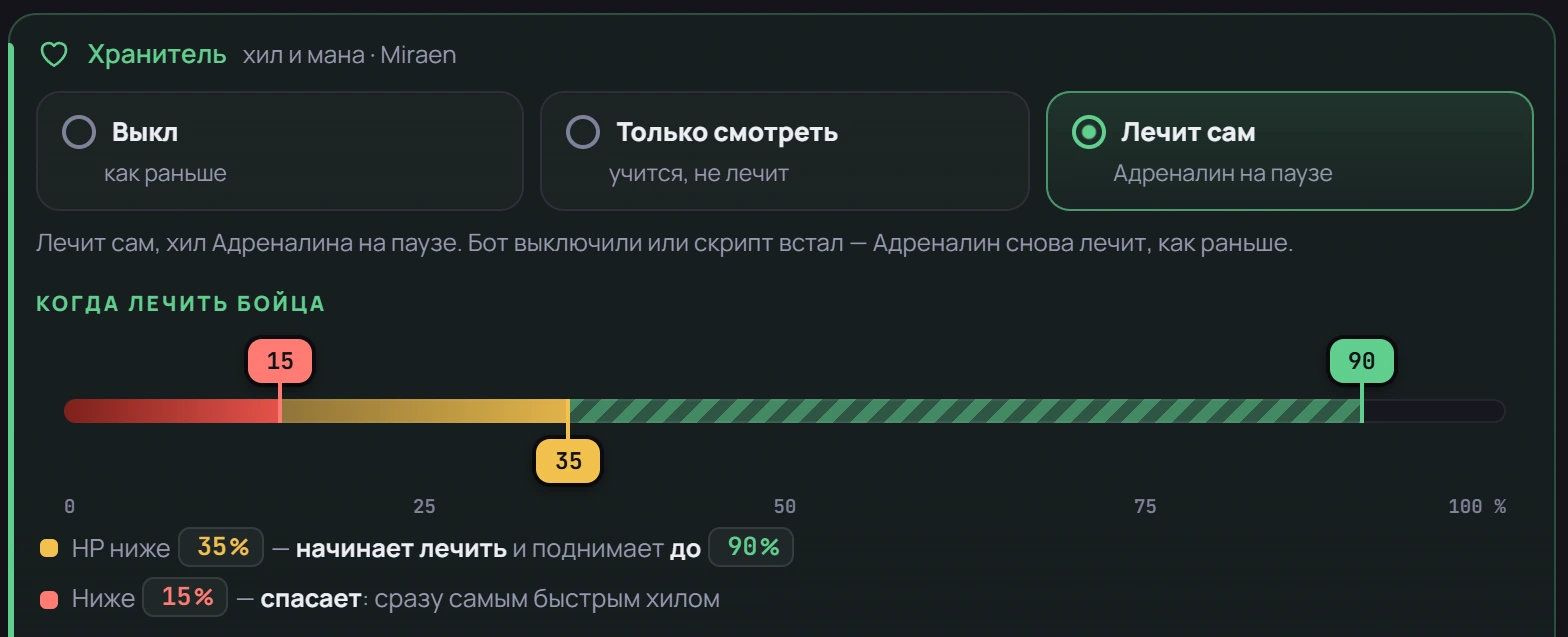
Guardian: the Off, Watch only and Heals on its own modes, and thresholds on sliders
Thresholds on sliders: when to heal, when to save.
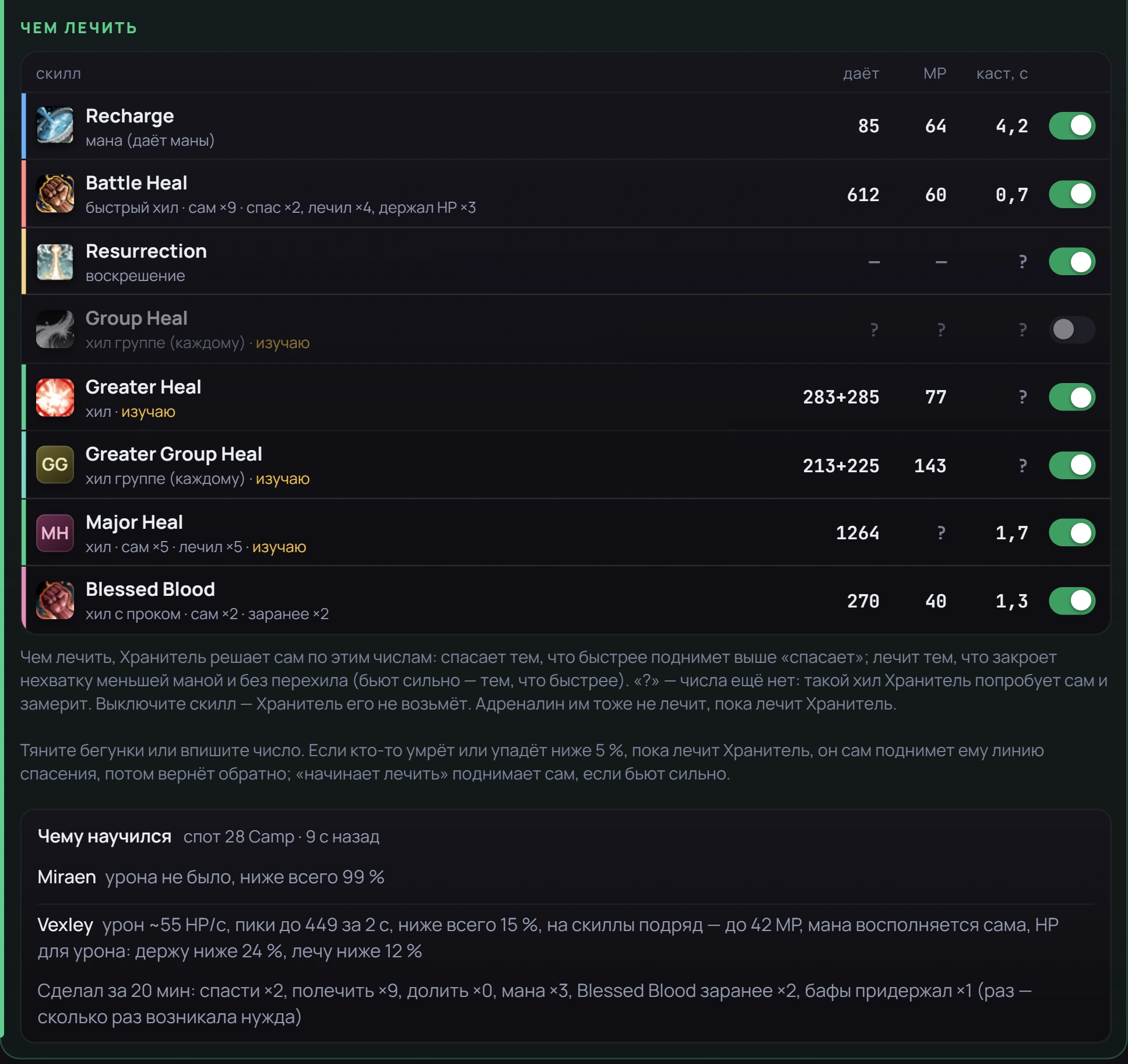
Guardian: what to heal with — a table of heals with measurements, what it learned at the spot and what it did in 20 minutes
It measures its heals, picks what to heal with and reports what it did.
  • Offas before, Adrenaline heals
  • Watch onlylearns, doesn’t heal
  • Heals on its ownAdrenaline healing is paused

Adrenaline

Set up one — copy to all.

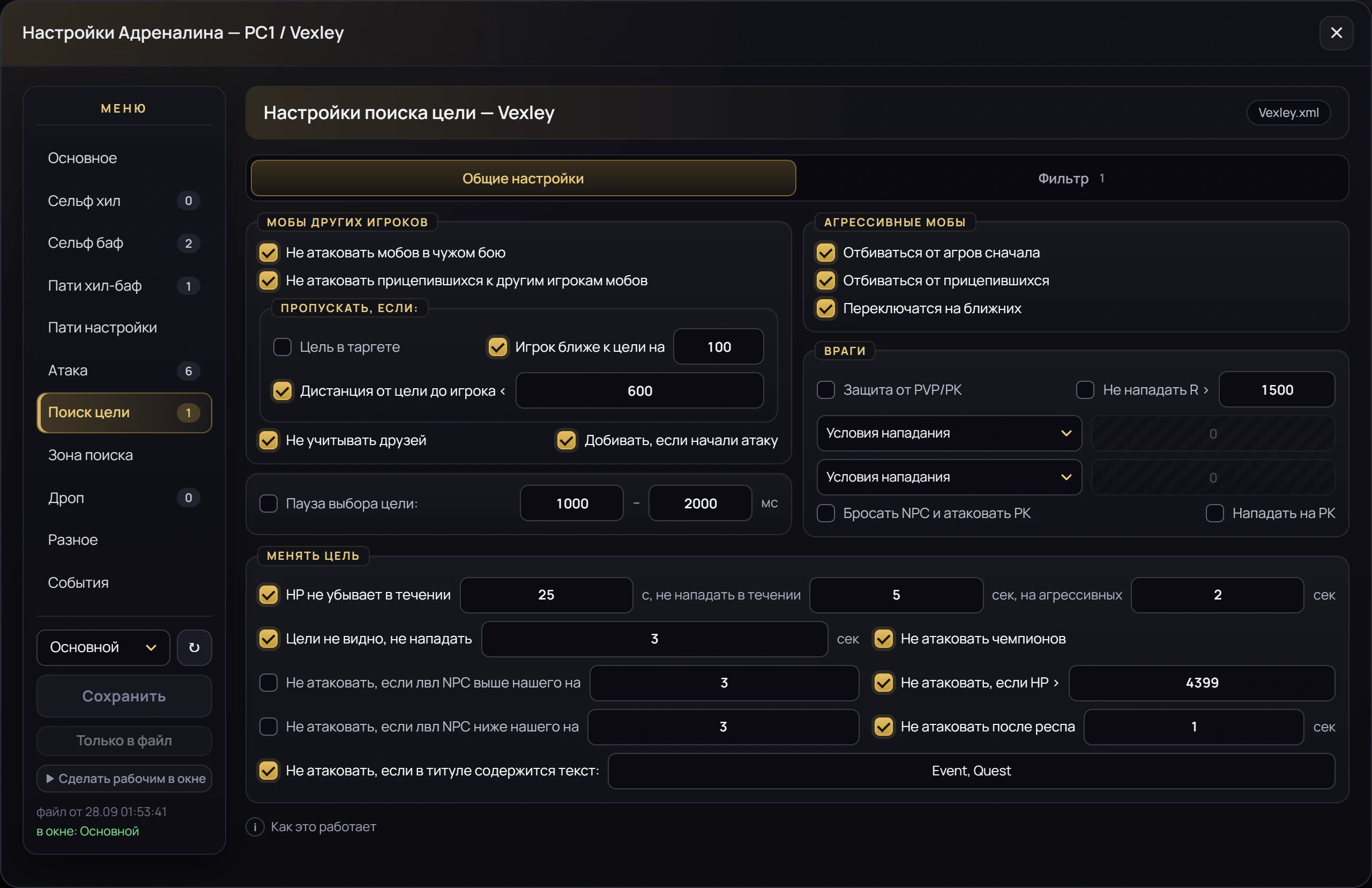
Adrenaline settings of any window on any PC — right in the dashboard, in the same sections as in the program itself.
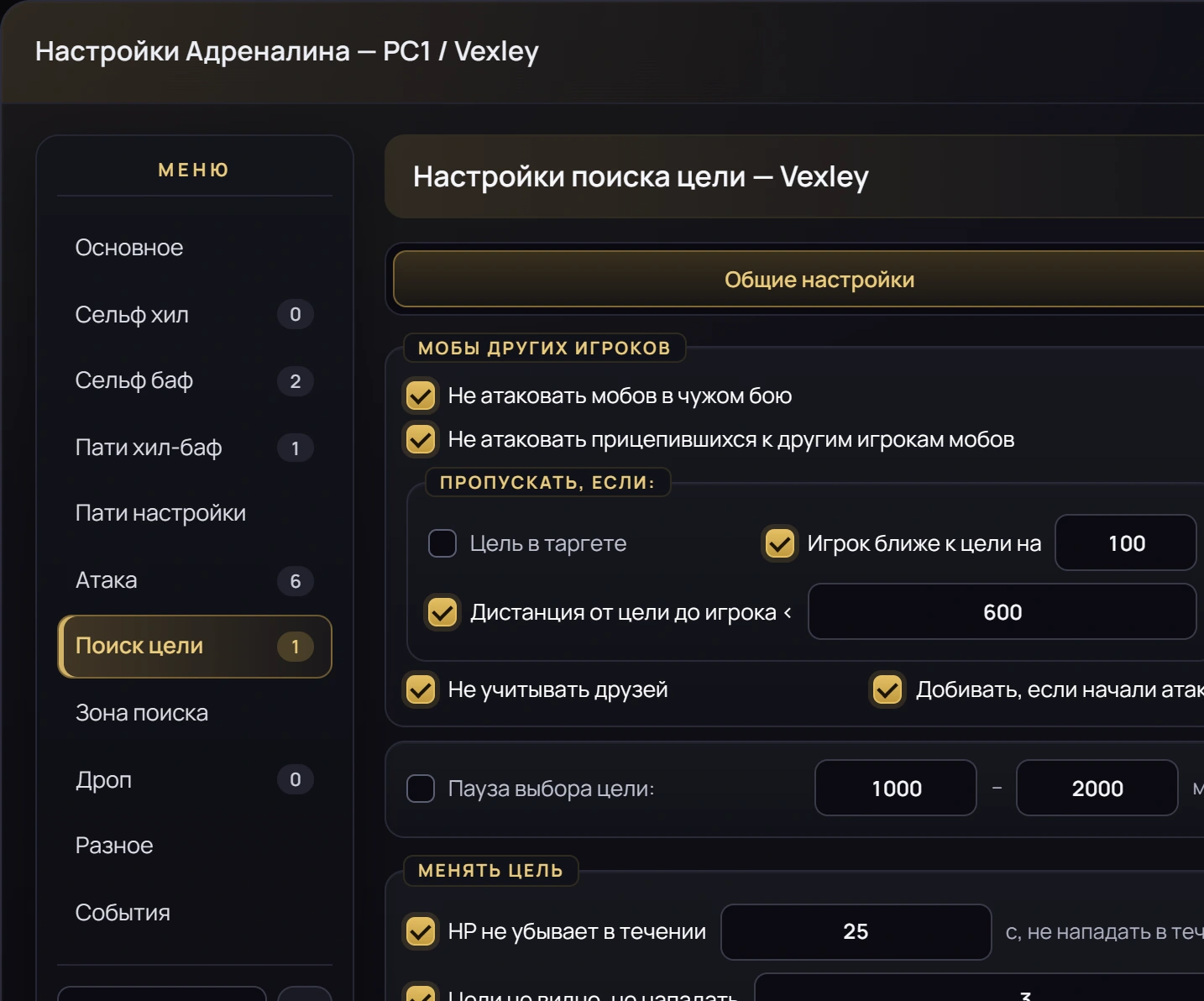
Adrenaline settings in the dashboard: the same sections as in the program itself
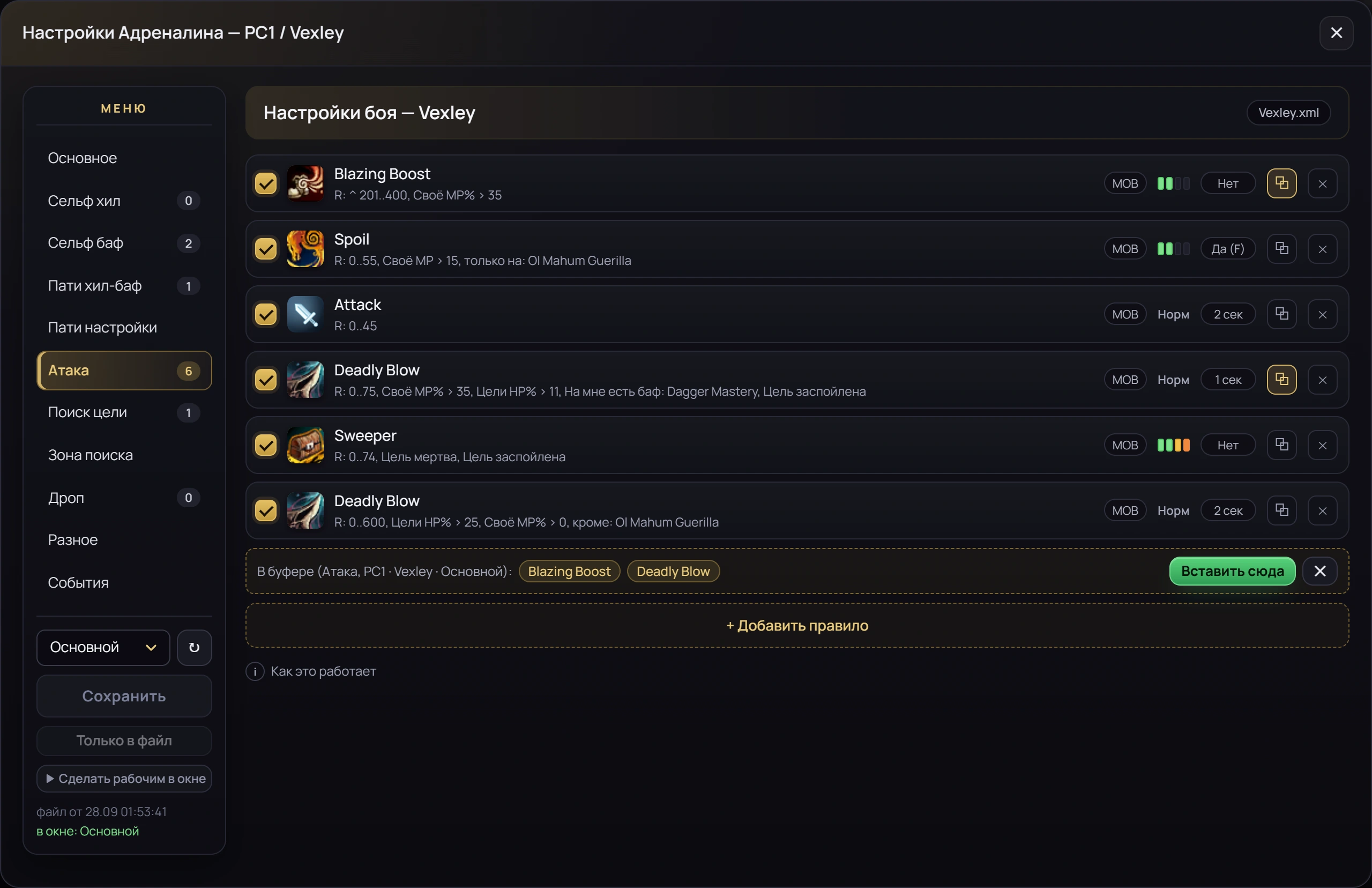
01copy

A rule — to the clipboard

In one click, several at once if you like. The clipboard remembers which window they came from.
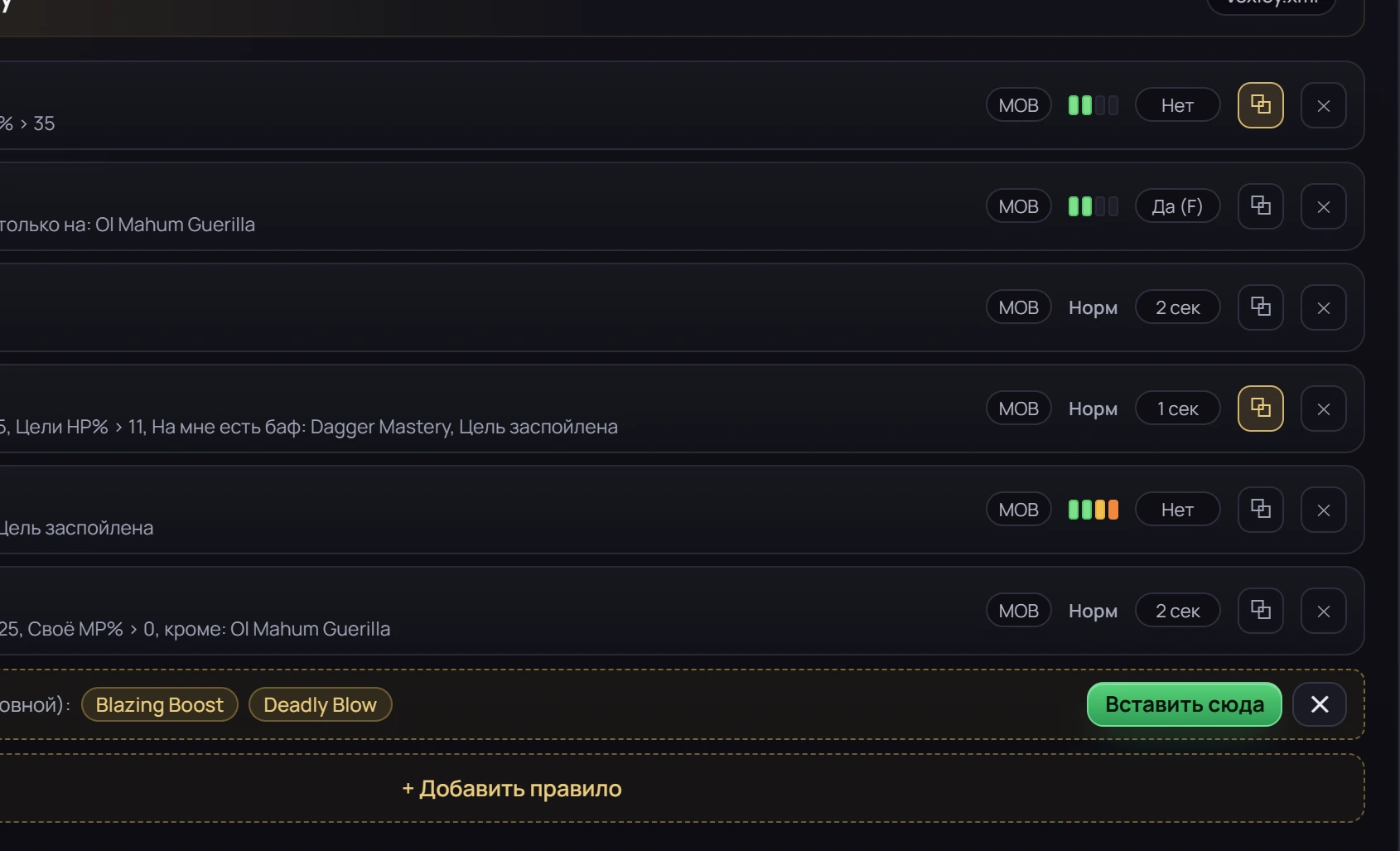
Combat rules: two rules copied to the clipboard
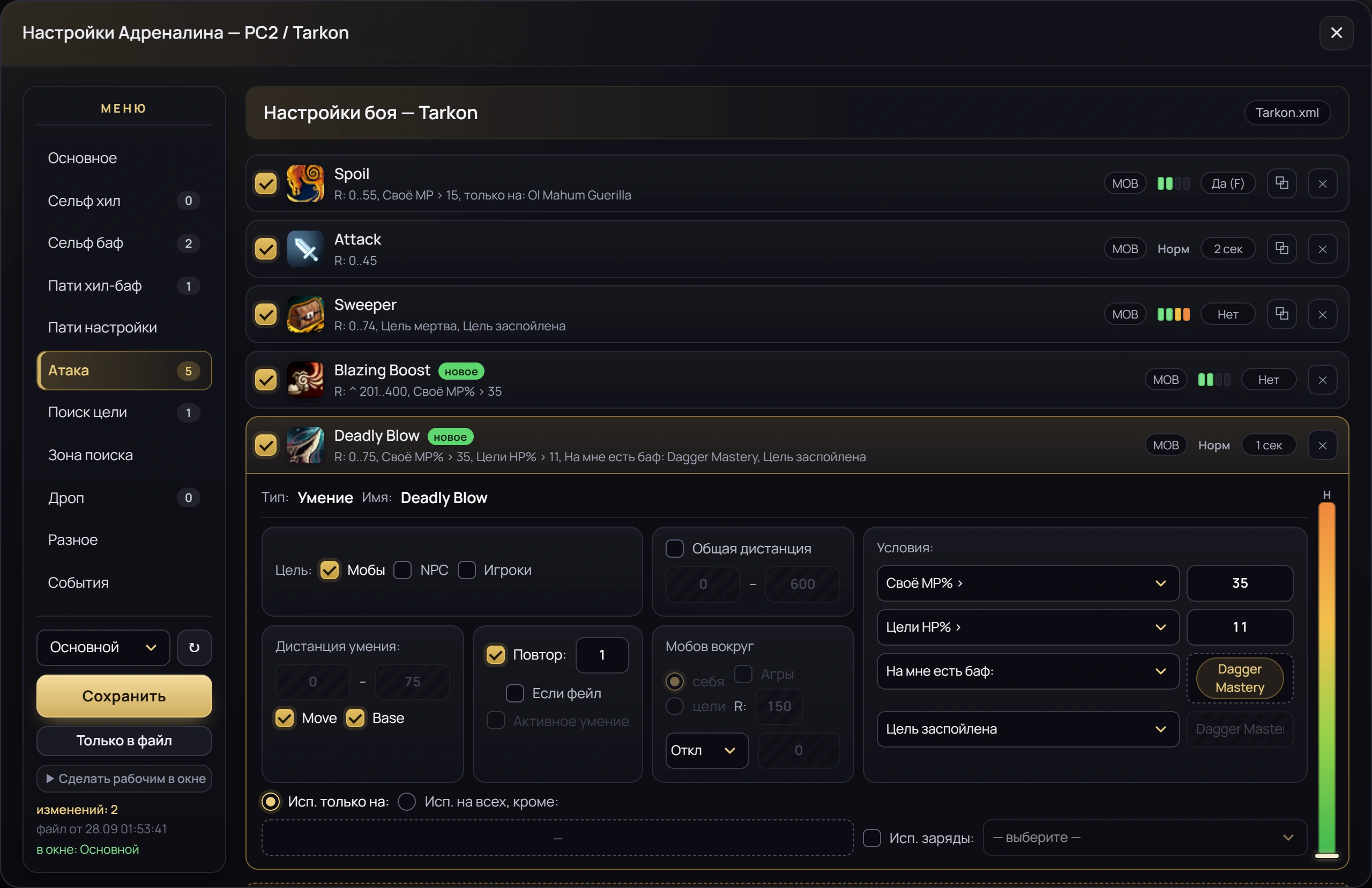
02paste

Into any window on any PC

Pasted rules are marked “new”, and the dashboard counts the changes before you save.
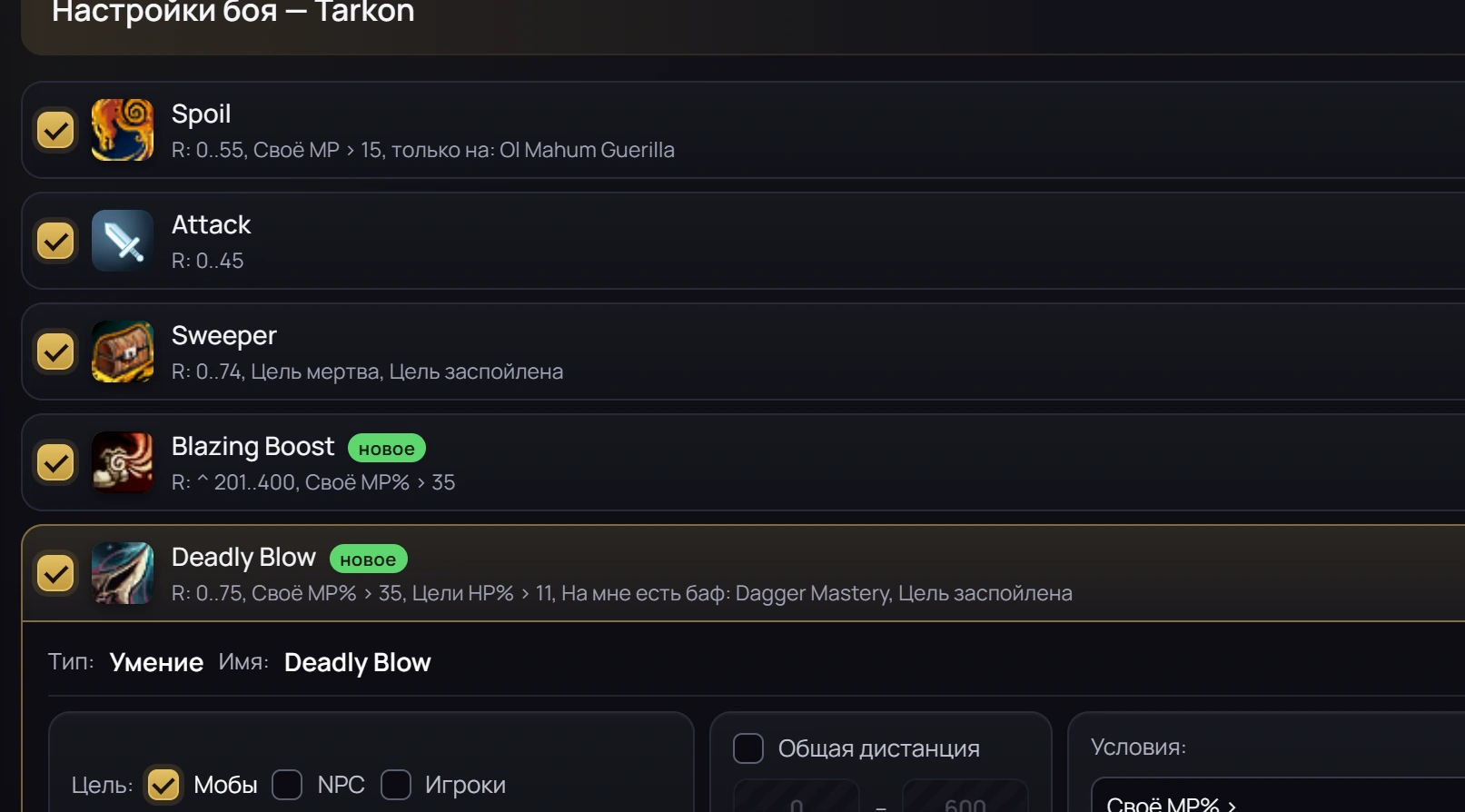
Copied rules pasted into a window profile on another PC and marked “new”

Alerts

Sleep. The farm will wake you.

An alert pops up over the dashboard and goes straight to Telegram.
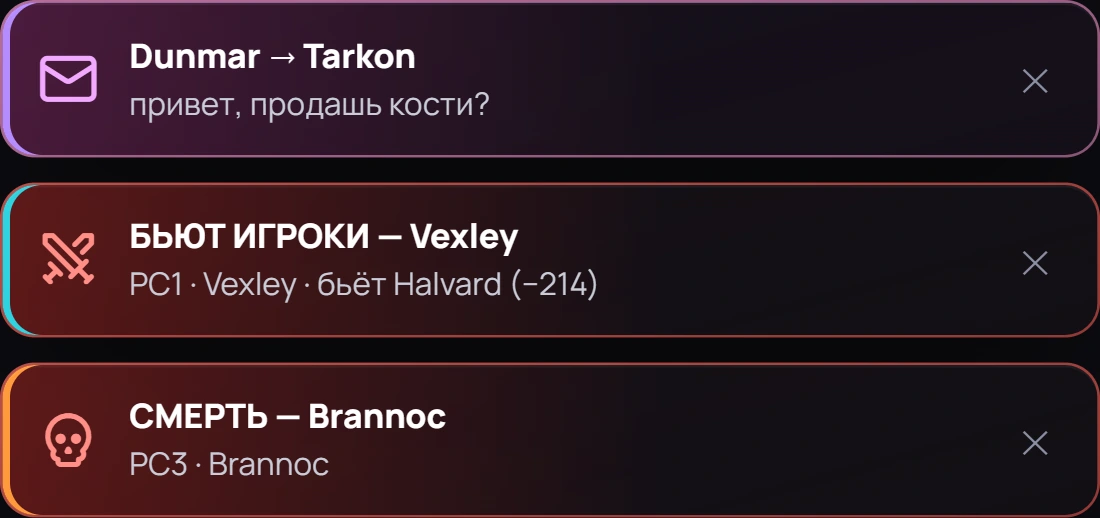
Alerts over the dashboard: a PM, an attack, a death — with the window and the PC
What happened, to which window and on which PC.
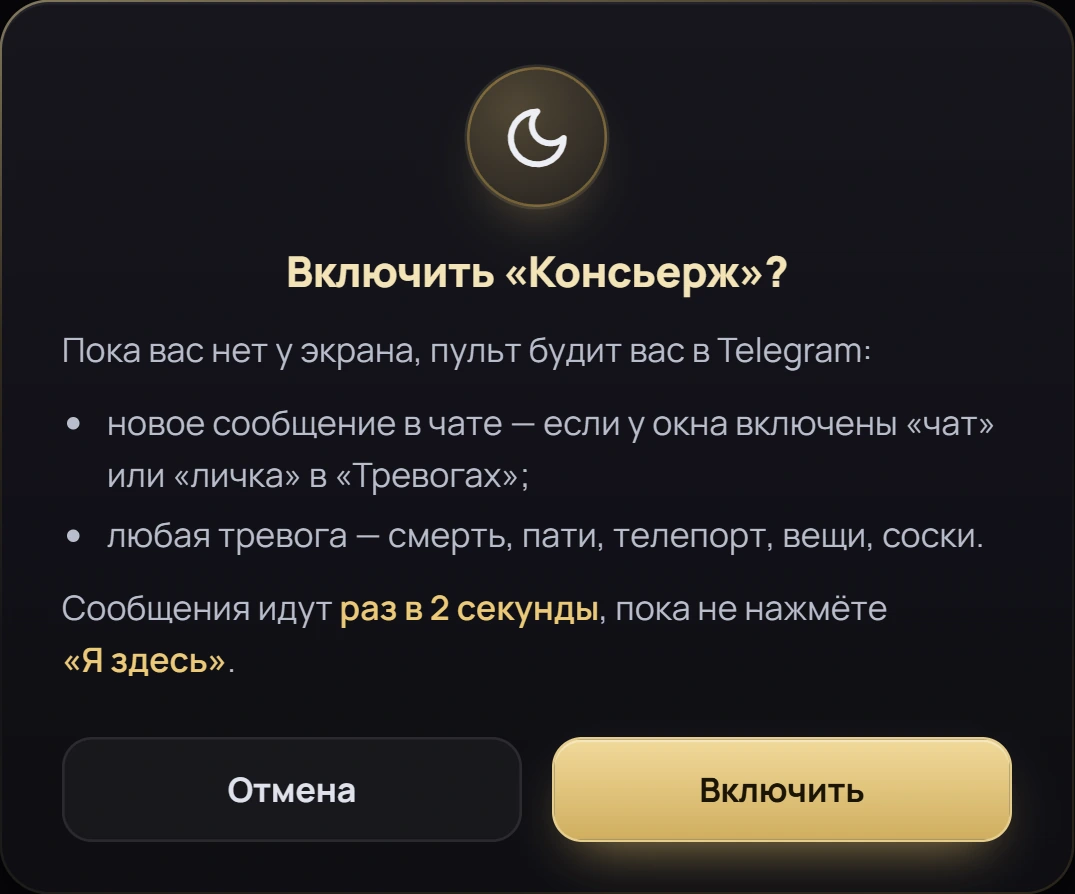
Concierge: night mode — keeps waking you in Telegram until you tap “I’m here”
Concierge keeps pinging you at night until you tap “I’m here”.
l2hudbot · farm alerts and chat
Farm alerts

PC3 — Death: Brannoc
PC1 — Party: Miraen left the party
PC2 — Tarkon, PM from Dunmar: hi, selling bones?

One bot for all PCs — one message for everything at once. It’s sent by the l2hud server, not by the farm PCs. “✋ Mute alerts” silences whatever is ringing now.
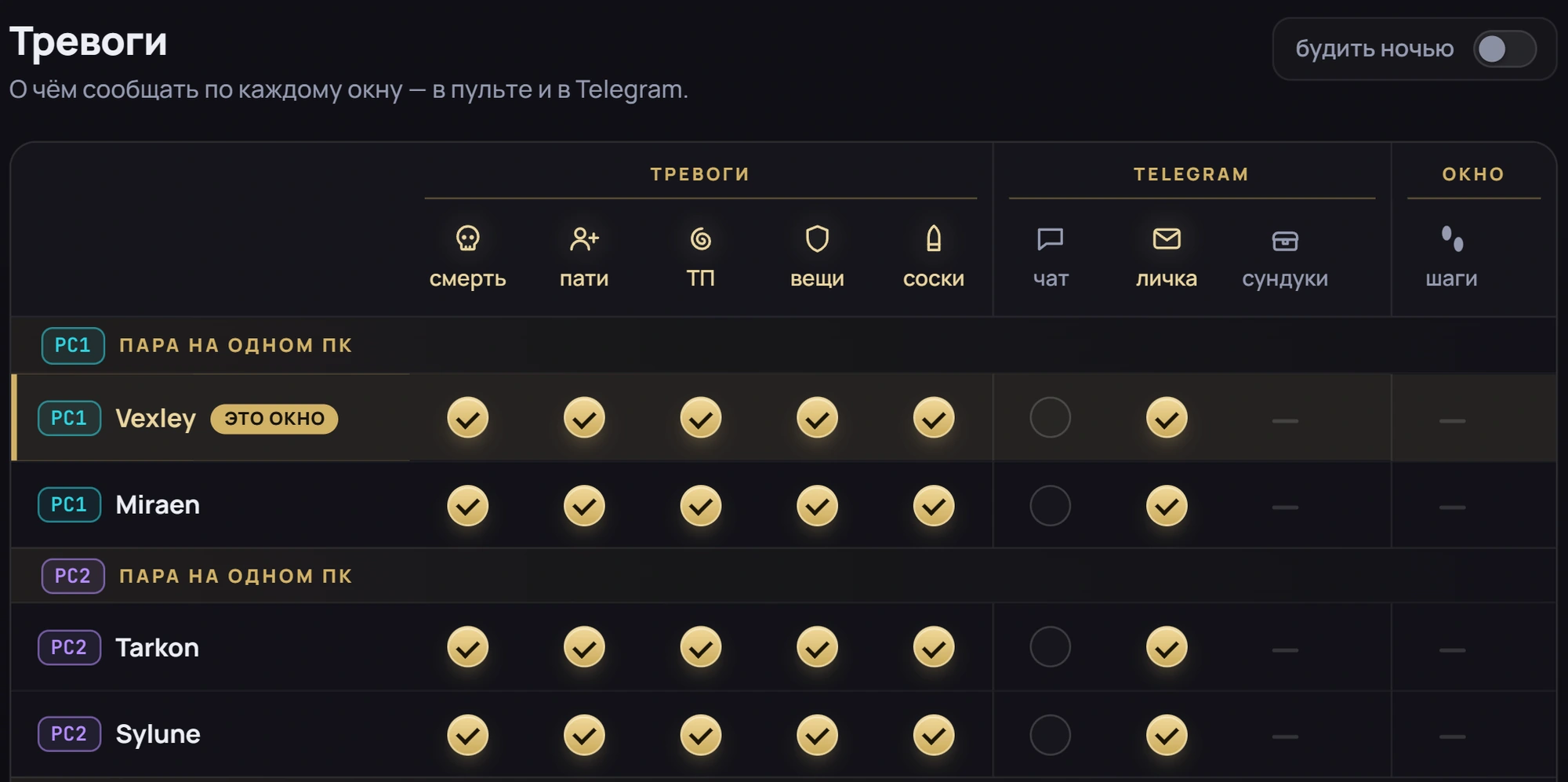
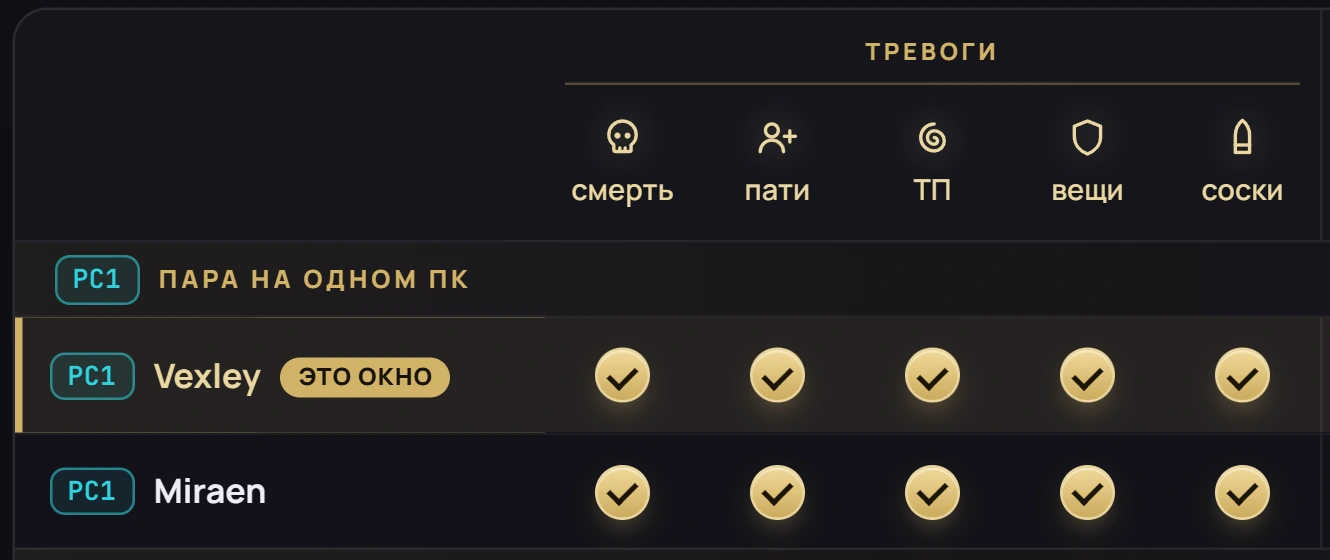
Alerts settings: a table of windows — death, party, teleport, gear, soulshots, chat and PMs to Telegram
Alerts for PC1 windows: death, party, teleport, gear, soulshots, chat

Each window has its own alerts.

  • In game: death, party disband, unexpected teleport, unequipped gear, out of soulshots.
  • From chat: general chat and PMs — to Telegram, if you want.
  • In one tap: a dot for one window, the icon on top for all.
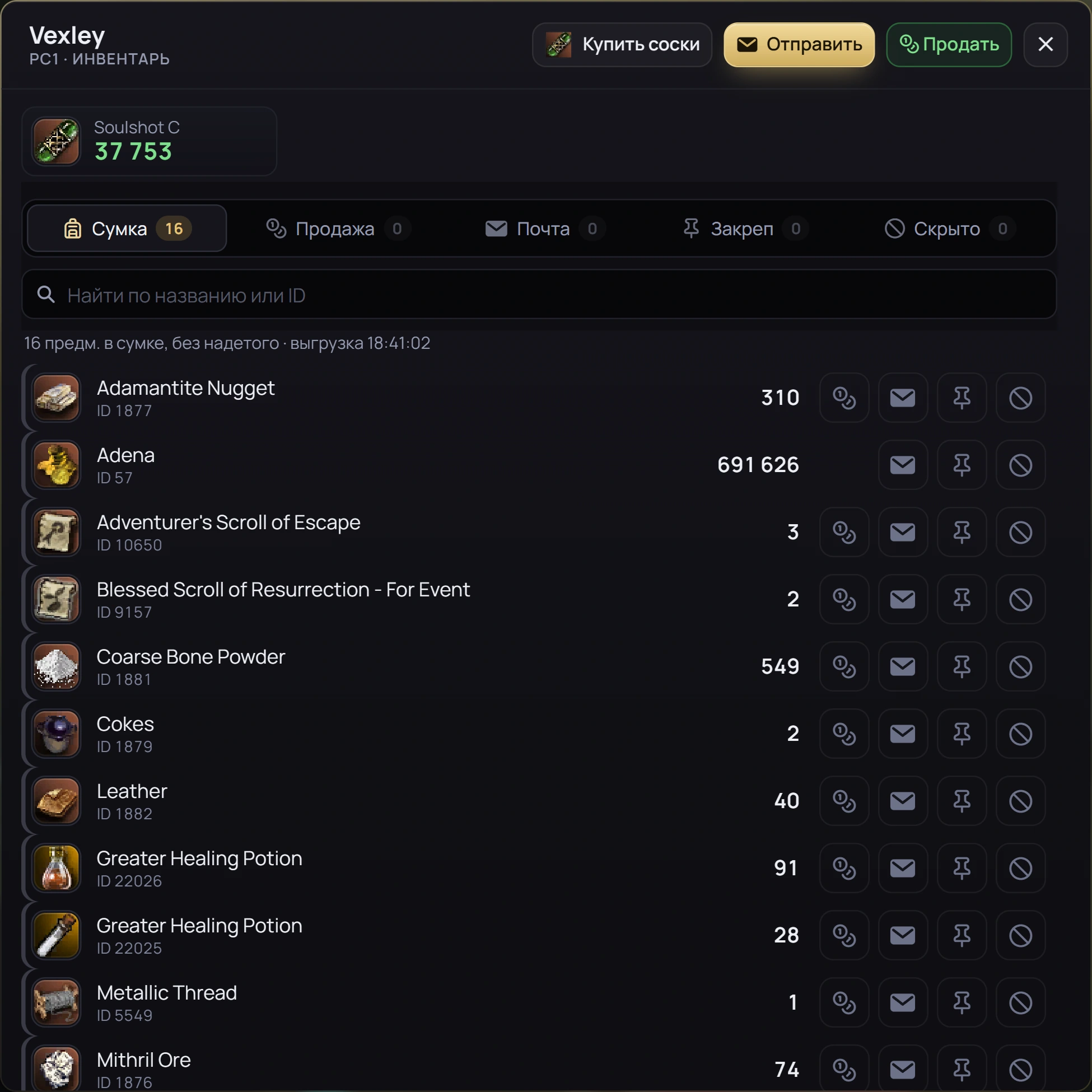
Window inventory: sell, send by mail, pin, hide; soulshots left on top
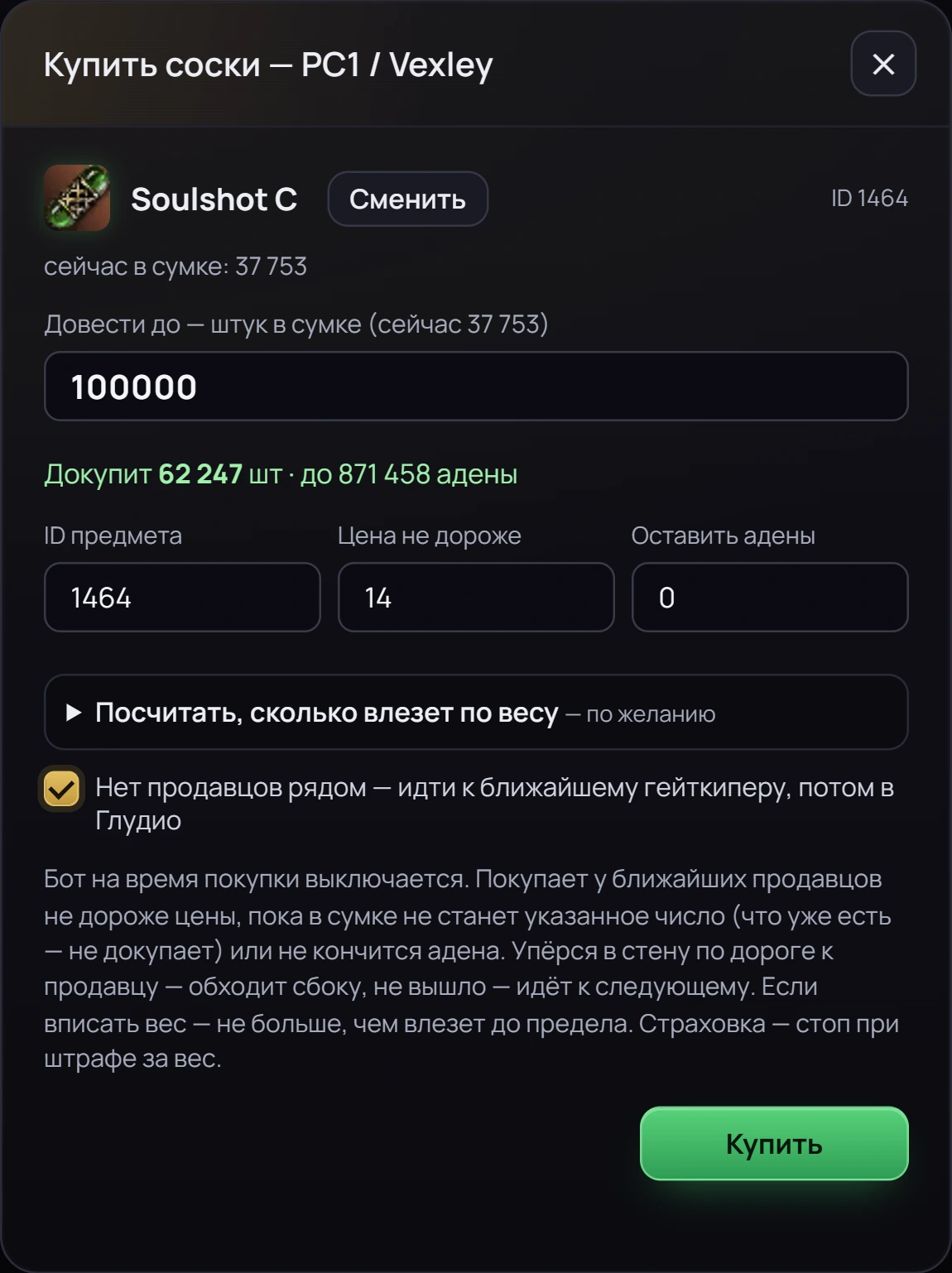
Buying soulshots: top up to the amount you set, not above your price

Inventory and trading

Sell, buy, send.

  • Selling. Mark what to sell, press Sell, and the character walks to the merchant by itself.
  • Soulshots. Each window shows how many are left; restocking from private stores — never above your price.
  • Mail. Marked items go by mail to the character you choose.
  • Tidy up. Pin what matters, hide the rest.

Phone

Your phone is a dashboard too.

The squad, the map and the Nearby list — all within reach of your thumb. Nothing to install: open your address in the browser.
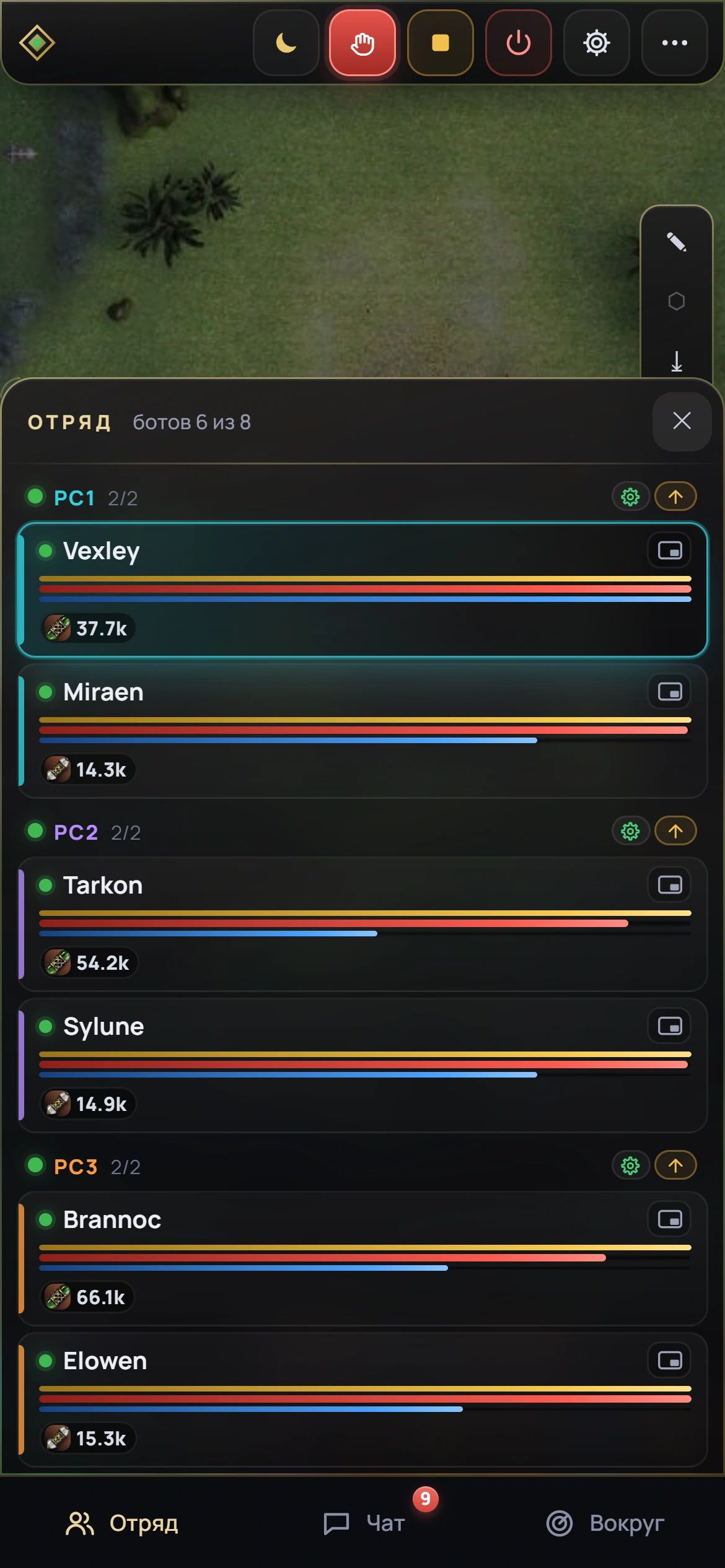
The squad on a phone: windows by PC, HP and MP, soulshots left
The map and the selected window on a phone
The Nearby list on a phone: mobs in the zone and players around

Features

Everything l2hud can do.

Map and windows

  • Dead mobs in gray, mobs outside the zone dimmed
  • Click the map — the character runs to that point
  • The window’s screen next to the map or full screen
  • Chat as any window — in general chat or by PM
  • Hotkeys: Alt+digit for the window’s buttons

Routes

  • On the way, characters only fight back
  • A pair from different PCs arrives at the spot together
  • No path from here — first to town, then to the spot
  • To town — as a whole party

Buffs and healing

  • Fighters walk up for a rebuff and wait
  • The buffer casts when there’s enough mana
  • Keeps a fighter’s HP in the right band — for HP-based passives
  • Measures its heals and picks what to heal with

Trading

  • Selling — with the result in the log
  • Soulshots — as many as the weight limit allows
  • Mail — both items and adena

Reliability

  • Updates itself, files are signed
  • If the server goes down, a standby takes over within minutes
  • If the game crashes, the window starts again
  • Logged in as another character — it has its own settings

Key and account

  • A code from the store — and the dashboard is ready
  • Renewal — with a new code in your account
  • You reset the PC binding yourself
  • Support in your account — PC details are attached automatically

Getting started

Three steps — and your windows are in the dashboard.

Buy a key

At Digiseller — you’ll get a code L2HUD-… for one PC.

Install the program

Download it from the activation page and run it on the PC with Adrenaline.

Paste the code

The program creates your dashboard, shows its address and password, and the wizard asks for your launcher and windows.

Pricing

One key per PC.

$20 per PC / month

One key — one PC, up to two game windows. 3 months −7%, 6 months −15%, 12 months −25%. The term starts when the code is activated.

1How many keys?
1 key — for 1 PCup to 2 game windows 1
2For how long?the longer the term, the lower the monthly price
Your savings
$0Pick a term to see your savings
monthly—
you pay—

What you need on the PC

  • Lineage 2 LU4: White, Black, Gamma or Carmine servers
  • Windows 10 or 11, administrator rights
  • Adrenaline with your own license key, and the game installed
  • Account logins saved in the game launcher
  • Telegram — for alerts, optional
Adrenaline Botofficial Adrenaline key store The largest seller, since 2013. Support replies within 24 hours. Visit
What is sent to the server?

The state of windows and inventories, screen frames, chat, logs, Adrenaline settings, zones and spots — and your commands. Account passwords, your Adrenaline key and the game files stay on your PCs.

Do you need my account passwords?

No. Windows log in through your game launcher, where the login is already saved: l2hud never asks for passwords and doesn’t modify game files.

What happens when the term ends?

The bots stop, and when the last key expires the dashboard closes too. Your settings are kept — renew and everything continues.

Can I move a key to another PC?

Yes, by yourself: close the program on the old PC, run it on the new one → «Нет кода?» (No code?) → «Переустановил Windows — подключить заново» (Reinstalled Windows — reconnect), enter the number it shows in your account with the «+ ПК» button and choose «Заменить» (Replace). The old PC must be offline for 30 minutes.

Is the dashboard in English?

Not yet. This page and the activation page are in English, but the dashboard, the PC program and the Telegram messages are in Russian for now — the screenshots here show the real interface.

Connect your farm.

A key for the PC — and your windows are in the dashboard in a couple of minutes.